
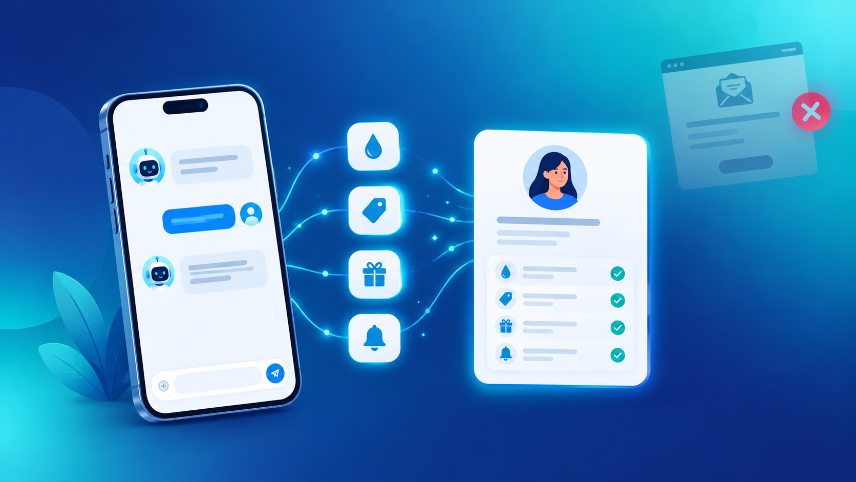
Most Shopify stores know surprisingly little about the people who visit them. A shopper lands on a product page, scrolls for a minute, and leaves. All you learn is a page view and, if you are lucky, an abandoned cart. You do not learn what they were looking for, what held them back, or what would have made them buy.
At the same time, the old ways of learning about shoppers are getting weaker. Browsers are limiting third-party cookies, privacy regulations are tightening, and the classic "enter your email for 10% off" popup is ignored by a large share of visitors. Merchants need a better way to understand their customers.
The better way is surprisingly simple: ask, in a way that helps the shopper, and let them answer. That is the idea behind zero-party data. This guide explains what it is, why forms fail to collect it, how an AI chat can gather it naturally, what to ask, how to stay on the right side of privacy, and how to put the answers to work on your Shopify store.
What Is Zero-Party Data? (The Short Answer)
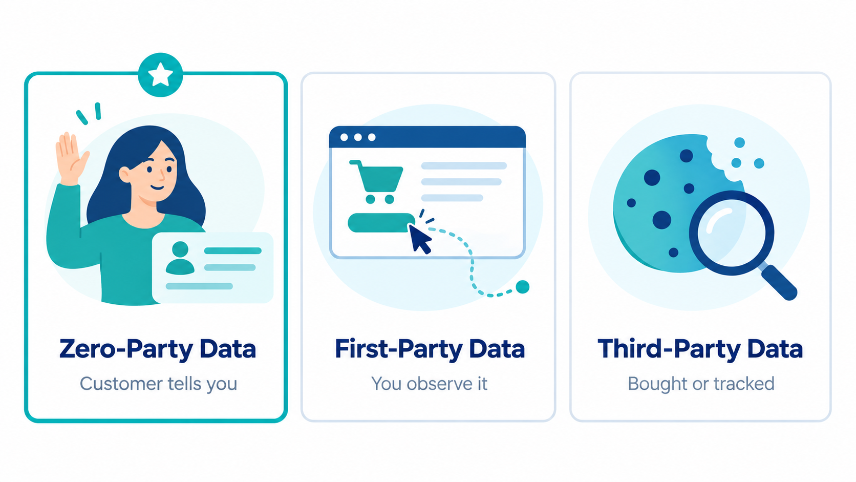
Zero-party data is information a customer intentionally and proactively shares with a brand. It is not tracked, inferred, or bought. The customer says it, on purpose, usually because they expect something useful in return.
Examples:
- "My skin is oily and sensitive."
- "I need a gift for my sister, under 1,500."
- "I wear size M, but I prefer a loose fit."
- "Message me on WhatsApp when this is back in stock."
The term was coined by Forrester Research to separate this kind of data from the other types brands collect.
Zero-Party vs First-Party vs Third-Party Data
These terms are often mixed up, so here is a clear comparison.
| Data type | Where it comes from | Example | Main limitation |
|---|---|---|---|
| Zero-party | The customer tells you directly | "Budget is 600, oily skin, buying a gift" | Needs a good reason for the customer to share |
| First-party | You observe it on your own store | Pages viewed, cart contents, past orders | Shows behavior, not intent or reasons |
| Third-party | Collected by other companies, often via cookies | Ad audiences, purchased lists | Declining reliability, privacy concerns |
Zero-party and first-party data work best together. First-party data tells you what a shopper did. Zero-party data tells you why.
Why This Matters for Shopify Stores Right Now
Three shifts make zero-party data more valuable than it used to be:
- Tracking is getting harder. Cookie restrictions and privacy tools reduce how much you can learn from behavior alone.
- Consent is becoming central. Laws such as GDPR in Europe and India's Digital Personal Data Protection Act, 2023 put consent and responsible data handling at the center. Data a customer knowingly shares is easier to justify than data collected silently.
- Shoppers expect relevance. People are used to personalized recommendations from large marketplaces. A generic storefront feels dated by comparison.
Stores that learn directly from their shoppers can personalize without relying on tracking they may lose access to.
Why Forms and Popups Collect So Little
Email popups and long sign-up forms are the default data tools for most stores. They have three built-in problems.
They ask before they help
A popup asks the shopper to give something (an email address) before the shopper has received anything. Trust has not been built yet, so most people close it.
They capture almost nothing useful
Even when a shopper signs up, you receive an email address and nothing else. You do not know what they wanted, what size they wear, what their budget is, or what concern they had about the product. Your first campaign has to be generic because you have nothing specific to say.
They interrupt
A popup that appears over a product the shopper is reading feels like a barrier. It breaks their focus at exactly the moment they are deciding.
The outcome is a list of emails with no context, followed by blanket newsletters that feel irrelevant to the people receiving them.
How AI Chat Collects Zero-Party Data Naturally
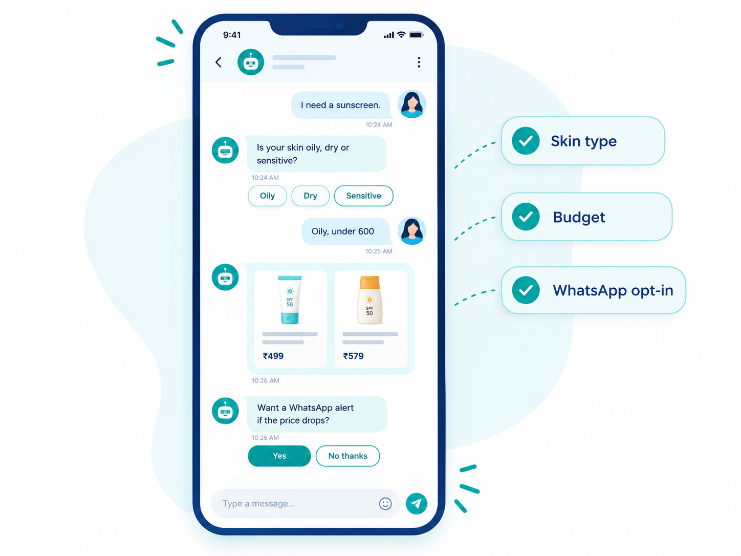
A conversation reverses the order: help first, ask second. The shopper asks a question, the AI answers it, and the follow-up questions feel like part of getting a good recommendation. Data collection becomes a side effect of being helpful.
Example 1: A skincare store
- Shopper:"I need a sunscreen."
- AI:"Happy to help. Is your skin oily, dry, or sensitive?"
- Shopper:"Oily, and I want to stay under 600."
- AI:shows two matching products "Would you like me to message you on WhatsApp if the price drops or it goes out of stock?"
- Shopper:shares their number.
In four short messages the store learned the shopper's skin type, budget, product need, and a contact channel they agreed to. The shopper never saw a form. They just got help.
Example 2: A fashion store
- Shopper:"Looking for a kurta for a wedding."
- AI:"Lovely. Is it for you or a gift? And do you prefer something festive or subtle?"
- Shopper:"For me, subtle. Size L."
- AI:shows matching options "I can also remind you before the wedding date if you want to order in time. When is the event?"
The store now knows the occasion, the size, the style preference, and a date that creates a natural, helpful reason to follow up.
Example 3: A gadgets or home store
- Shopper:"Which blender should I buy?"
- AI:"Is it mainly for smoothies, or for grinding and heavy use? And roughly what budget are you working with?"
Two quick answers let the AI recommend one or two products instead of leaving the shopper to compare twenty.
In every example, the question has a visible benefit for the shopper. That is the difference between a conversation and a form.
This is the idea behind ReComAI's Customer Data Collection feature: the chat can ask for details, including contact information, inside the conversation, at the moment the shopper has a reason to share them.
What Data to Collect (and What to Skip)
More data is not better data. Every extra question adds friction and, once stored, adds responsibility. Collect only what you will actually use.
| Data point | Why it is worth asking | How you will use it |
|---|---|---|
| Product need | Tells you what the shopper came for | Show the right products first |
| Key preference (size, skin type, style, color) | Removes irrelevant options | Filter recommendations |
| Budget range | Avoids showing products they will not buy | Prioritize within their range |
| Occasion or use case | Explains the purchase (gift, wedding, daily use) | Personalize suggestions and timing |
| Timeline | Shows urgency | Time follow-ups and shipping messages |
| Contact channel (email or WhatsApp) | Needed only for a clear benefit | Alerts, order updates, cart recovery |
Skip unless truly necessary:
- Sensitive details the product does not require, such as health information beyond what is needed, financial information, or government IDs.
- Long lists of questions asked all at once.
- Anything you cannot connect to a specific action.
A good rule: if you cannot name how you will use an answer, do not ask for it.
How to Design the Conversation (Progressive Profiling)
Good data collection feels like good service. These principles keep it that way.
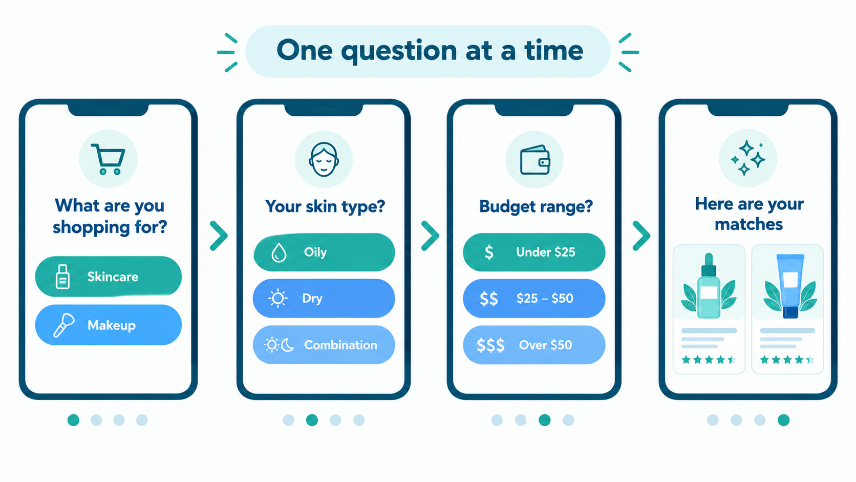
- Answer first, then ask. If the shopper asked a question, answer it before asking anything back.
- One question at a time. Three questions in a row feels like a form in disguise.
- Offer quick-reply options. "Oily / Dry / Sensitive" is faster than typing and gives you clean, consistent data.
- Ask only what the next step needs. If you are about to recommend a product, ask what changes the recommendation.
- Always allow skipping. A shopper who can say "not sure" stays in the conversation. A shopper who feels cornered leaves.
- Save contact questions for last, and tie them to a clear benefit such as a restock alert, a price-drop alert, or an order update.
- Build the profile gradually. Ask a little each visit rather than everything at once. This is often called progressive profiling.
Privacy and Consent: Do It Properly
Zero-party data only works when it is shared willingly, so trust matters more than volume.
- Explain why you are asking. "So I can suggest the right shade" works better than a bare question.
- Request contact details only with a clear benefit.
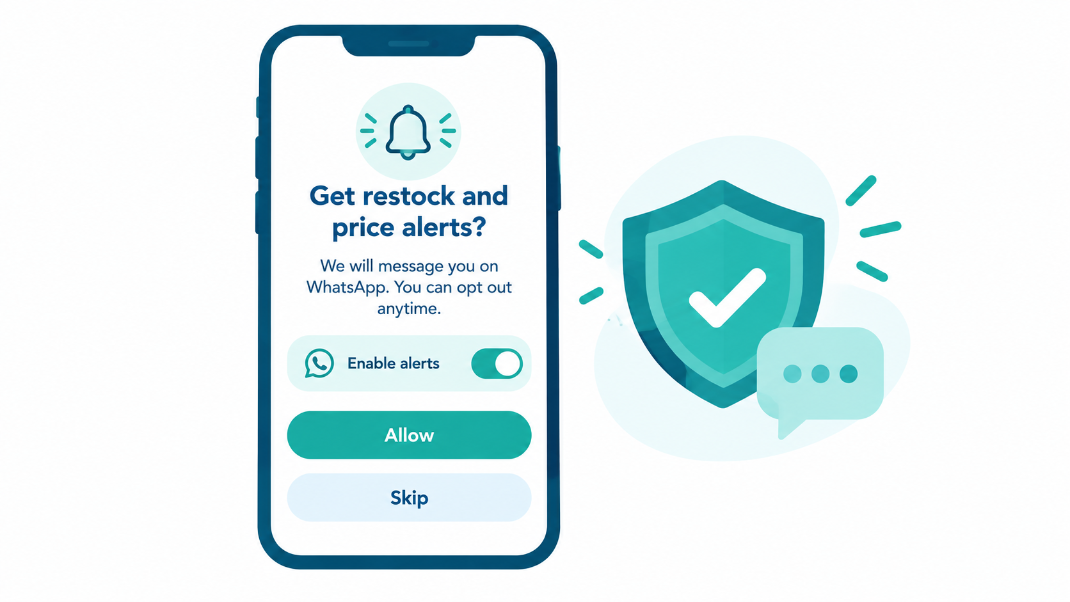
- Get explicit permission before messaging. Make it obvious what the shopper is signing up for, especially for WhatsApp or email follow-ups.
- Link your privacy policy inside the experience and make opting out easy.
- Store only what you need, and only for as long as you need it.
- Do not repurpose data in ways the shopper would not expect. If they shared their skin type to get a recommendation, using it to build a hidden profile for unrelated ads breaks the deal.
- Check the rules that apply to you. Requirements differ by country and by channel, so confirm your setup with a qualified professional. This article is general information, not legal advice.
How to Use Zero-Party Data Once You Have It
Collecting data is only half the job. The value comes from using it in ways shoppers can feel.
1. Better product recommendations
When a shopper says "oily skin, under 600", you can show matching products instead of a generic bestseller list. Recommendations built on stated needs also help new visitors, because you do not need a long browsing history to be relevant. For a deeper look, read our guide on AI product recommendations on Shopify and see how the AI Product Recommendation feature works.
2. Smarter nudges at the right moment
If you know what a shopper cares about, a nudge can be specific instead of pushy. ReComAI's Auto Nudge Popups can start a helpful conversation at moments when shoppers tend to hesitate, which is also the moment a good question is most welcome.
3. Cart recovery that feels personal
A recovery message that mentions the exact product and the shopper's stated need feels like a reminder from a helpful store, not a mass email. Read our breakdown of WhatsApp vs email for ghost cart recovery, and compare tools in our list of WhatsApp apps for cart recovery.
4. Segmentation you can trust
Segments built from what shoppers told you ("gift buyers", "sensitive skin", "budget under 600", "buying for an event") are more dependable than segments guessed from browsing alone. They also make email and WhatsApp campaigns easier to write, because you know what each group cares about.
5. Better support conversations
When the same assistant handles both product questions and support questions, what it learns in one conversation can make the next one easier. We explain why in Sales + Support in One AI Agent, and you can see the support side on the AI customer support page.
6. Merchandising insight
The answers shoppers give, taken together, are market research. If many shoppers ask for a budget range you do not stock, or a skin concern you do not cover, that is a signal for what to add or feature.
7. Higher trust overall
Asking relevant questions and respecting the answers is part of building confidence in your store. We cover the wider picture in The Ecommerce Trust Stack.
How to Set This Up on Your Shopify Store
You do not need a developer. A practical rollout looks like this.
- Decide what you need. Pick three or four data points that directly improve recommendations, for example product need, one key preference, budget, and contact channel.
- Give the AI your store knowledge. Connect your catalog, shipping policy, and return policy so it can answer product and support questions accurately. Answering well earns the right to ask. See how to train a chatbot with your website content.
- Write the questions in plain language. One question per message, with quick-reply options where possible. If your shoppers use more than one language, plan for that from the start.
- Add a consent line before collecting contact details, and make the benefit clear.
- Connect your follow-up channels. Use the WhatsApp AI sales agent so collected contacts can be used for alerts and recovery, with permission.
- Test it yourself. Go through the conversation as a shopper. Remove any question that feels unnecessary or repetitive.
- Go live on your key pages first. Start with the product pages and cart page, where shoppers have the clearest intent.
- Review monthly. Look at which answers you actually used, and drop the rest.
You can experience a live chat on example stores in our demo stores, and compare plans on the pricing page.
How to Measure Whether It Is Working
Set simple, honest measures before you launch, and compare against your own store's numbers rather than industry averages.
- Conversation-to-contact rate:how many chats end with a shared email or WhatsApp number.
- Question completion rate:how many shoppers answer each question. A sharp drop-off points to a question that feels intrusive.
- Conversion rate of shoppers:who answered questions compared with those who did not.
- Average order value for chats:that included recommendations based on stated needs.
- Opt-out and unsubscribe rate:after follow-up messages. A rising number means your follow-ups are not matching what shoppers agreed to.
- Recovered carts from follow-ups:that used stated preferences.
Change one thing at a time, so you know which change moved the numbers.
Common Mistakes to Avoid
- Asking too much, too early. Keep the first interaction light.
- Collecting data you never use. It adds risk and no value.
- Hiding the benefit. If the shopper cannot see what they get, they will not share.
- Forcing answers. Always give a way to skip.
- Using the data to push harder. Zero-party data should make suggestions more relevant, not more aggressive.
- Ignoring consent for follow-ups. Collecting a number for an alert and then using it for broad promotions erodes trust quickly.
- Never reviewing the data. Old, unused answers pile up. Clean them out regularly.
- Treating consent as a checkbox. Clear, honest wording builds the trust that makes zero-party data possible.
Frequently Asked Questions
Final Thoughts
The stores that do well with data in the coming years will not be the ones that track the most. They will be the ones whose customers choose to share, because sharing gets them better help.
An AI chat that asks the right question at the right moment turns every conversation into useful, permission-based data: what the shopper wants, why they want it, and how they would like to hear from you next. Start small, ask only what you will use, be honest about why you are asking, and let the answers make every recommendation and follow-up more relevant.
To see how ReComAI collects and uses customer data inside the chat, book a 30-minute walkthrough using the link below, or start a conversation on WhatsApp.
Keywords