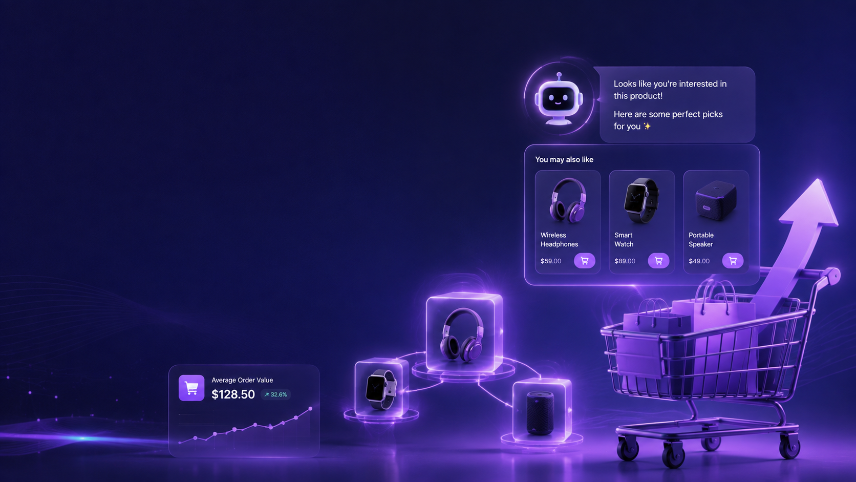

Most Magento product pages waste their highest-intent moment — the exact second a shopper is already looking at a product — with manually configured "Related Products" and "Up-sells" fields that haven't changed in months. Here's a ranked look at the AI-powered recommendation extensions actually worth running on Magento in 2026, and exactly how to set one up so it lifts AOV instead of just sitting there.
Why Magento's Default "Related Products" Fields Are Costing You
Every Magento product edit screen has three linked-product fields — Related Products, Up-sells, and Cross-sells — filled in once, by hand, and rarely revisited. Adobe Commerce also ships with a native Product Recommendations module that uses behavioral and catalog data, which is a step up, but still a fairly basic starting point compared to a dedicated AI recommendation engine.
Static, manually assigned fields don't know:
- What the shopper just searched for to land on this page
- What they've already viewed earlier in this session
- What's trending this week across your catalog
- Which specific product combinations actually convert together in real orders
A dedicated AI recommendation extension does. And the conversion difference isn't marginal — it's the kind of lift that shows up clearly in revenue reporting within the first 30 days of running properly.
What AI Product Recommendation Extensions Actually Do
Before comparing extensions, it's worth understanding what you're actually deploying.
A real AI recommendation engine on Magento does three things simultaneously:
Analyzes real order data. It looks at what customers actually buy together across your store's order history — not what a merchandiser guessed six months ago. If 40% of buyers of a particular skincare serum also add a specific moisturizer in the same session, the AI has already picked that up. Your manually filled Cross-sells field probably hasn't been touched since launch.
Responds to live session behavior. A shopper who has spent several minutes comparing configurable product options is behaving differently than one who's already added to cart. AI engines weight recommendations differently based on this — nudging toward premium complements for the researcher, and toward fast, low-friction add-ons for the shopper who's ready to check out.
Improves continuously without manual input. Every view, click, and completed order feeds back into the model. Three months in, recommendations are noticeably sharper than day one — something a static, manually assigned field can never do.
How We Ranked These Extensions
Not every "AI-powered" recommendation plugin listed in the Adobe Commerce Marketplace lives up to that label. This ranking focuses on:
- Depth of AI/ML-driven personalization (versus rule-based "related products")
- Magento / Adobe Commerce integration quality
- Placement flexibility across product, cart, and category pages
- Handling of configurable products and complex catalogs
- Cold-start behavior for new stores and new products
- Analytics and attribution reporting
- Ease of setup and ongoing maintenance
Best Magento AI Product Recommendation Extensions in 2026 — Ranked
Position 1: ReComAI
Best for: Conversational, AI-driven recommendations with built-in upsell and cross-sell logic
ReComAI combines real-time, session-aware product recommendations with a conversational AI layer, so recommendations aren't limited to static blocks — shoppers can also ask questions and get guided toward the right product directly. It integrates with Magento via extension or API, supports configurable products, and includes built-in upsell and cross-sell logic tuned toward AOV, units per order, or repeat purchase rate.
Why it stands out:
- Session-aware, purchase-data-driven recommendations
- Built-in conversational discovery, not just static blocks
- Configurable product and attribute awareness
- Multilingual, works across Shopify, WooCommerce, and Magento
- Revenue-goal tuning (AOV vs. units per order vs. repeat purchase)
Watch out for: Best suited for merchants who want recommendations paired with a conversational sales layer — if you only need a lightweight, purely visual recommendation block, a narrower tool may set up slightly faster.
Position 2: Nosto
Best for: Enterprise-grade personalization across multiple touchpoints
Nosto is a long-standing personalization platform with a mature Magento integration, covering product recommendations, on-site personalization, and segmentation. It's built for larger catalogs and higher-traffic stores that want personalization extended beyond just the product page.
Why it stands out:
- Deep personalization across product, category, and homepage
- Strong segmentation and behavioral targeting
- Proven at enterprise scale
Watch out for: More complex setup and typically higher cost than lighter-weight recommendation-only tools — better suited to established stores than very new ones.
Position 3: Klevu
Best for: AI search paired with recommendations
Klevu is primarily known for AI-powered search, but its recommendation module works from the same behavioral and catalog data, making it a strong option for stores that want unified search and recommendation intelligence rather than two separate systems.
Why it stands out:
- Recommendations informed by the same AI powering on-site search
- Solid Magento/Adobe Commerce integration
- Good fit for catalog-heavy stores where search quality matters as much as recommendations
Watch out for: If you already have a search solution you're happy with, evaluate whether the recommendation module alone justifies the switch.
Position 4: Algolia Recommend
Best for: Developer-friendly, API-first recommendation infrastructure
Algolia Recommend is built on top of Algolia's search infrastructure and is a strong fit for Magento stores with development resources who want granular control over recommendation logic and placement via API.
Why it stands out:
- API-first, highly customizable
- Strong "frequently bought together" and "related items" models
- Scales well for very large catalogs
Watch out for: Requires more developer involvement than plug-and-play extensions — less ideal for merchants without technical resources on hand.
Position 5: Amasty Product Recommendations
Best for: Native Magento merchants wanting a straightforward extension
Amasty is a well-known Magento extension developer, and its recommendation module is built specifically for Magento/Adobe Commerce rather than adapted from a broader SaaS platform, which makes admin-panel configuration feel native to the platform.
Why it stands out:
- Built specifically for Magento's admin structure
- Straightforward rule + behavioral hybrid setup
- Lower learning curve for merchants already used to Magento extensions
Watch out for: Less sophisticated real-time personalization than dedicated AI-first platforms — a solid mid-tier option rather than a cutting-edge one.
Position 6: Adobe Commerce Native Product Recommendations
Best for: Adobe Commerce merchants who want a built-in starting point
Adobe Commerce ships with its own Product Recommendations module, using behavioral data (views, cart adds, purchases) and catalog data (name, price, availability) to generate suggestions without installing a third-party extension.
Why it stands out:
- No additional extension or vendor needed
- Included with Adobe Commerce
- Reasonable baseline for stores not ready to invest in a dedicated tool
Watch out for: Less advanced than dedicated AI recommendation engines — no conversational layer, and less nuanced session-level personalization than the options above.
Comparison at a Glance
| Extension | AI/ML Depth | Conversational Layer | Setup Ease | Best For |
|---|---|---|---|---|
| ReComAI | ⭐⭐⭐⭐⭐ | ⭐⭐⭐⭐⭐ | ⭐⭐⭐⭐ | AI recommendations + conversational selling |
| Nosto | ⭐⭐⭐⭐⭐ | ⭐⭐ | ⭐⭐⭐ | Enterprise personalization |
| Klevu | ⭐⭐⭐⭐ | ⭐⭐ | ⭐⭐⭐⭐ | AI search + recommendations |
| Algolia Recommend | ⭐⭐⭐⭐ | ⭐ | ⭐⭐ | Developer-led, API-first setups |
| Amasty | ⭐⭐⭐ | ⭐ | ⭐⭐⭐⭐ | Native Magento merchants |
| Adobe Commerce Native | ⭐⭐⭐ | ⭐ | ⭐⭐⭐⭐⭐ | No-extension starting point |
Placement: Where to Put AI Recommendations on Your Magento Product Page
Placement matters as much as which extension you choose. Three positions consistently perform, ranked by typical conversion impact:
Position 1: Below the Add-to-Cart Button (Highest Impact)
This is the highest-intent zone on the page. The shopper has just made — or is very close to making — a mental decision to buy. Complementary products shown here catch them at peak willingness to spend more.
What to show here: Complementary items, not alternatives. If they're buying a coffee grinder, show filters or a cleaning brush — not another grinder.
Label it: "Complete the set" or "Customers also bought" consistently outperforms a generic "You might also like."
Position 2: Mid-Page, Below the Description
For configurable products with long spec tables or descriptions, a recommendation block placed after the core details catches shoppers who are still in research mode but starting to think about complementary needs.
What to show here: "Frequently bought together" bundles.
Position 3: Below the Fold (Traditional Related Products Area)
This is where most Magento themes place recommendations by default. It still works — just less powerfully than the two positions above. Use it for "More from this category" or "Customers who viewed this also viewed."
The Cold-Start Problem (And How to Handle It)
Every new store hits the same wall: the model needs order data to make good recommendations, but you need good recommendations to generate that order data.
For new products (under 50 sales): Manually assign a starting "frequently bought together" group based on merchandising knowledge. The AI treats this as a fallback and gradually replaces it as real data accumulates. An empty recommendation block is worse than a manually curated one.
For new stores (under 200 total orders): Fall back to category-level recommendations rather than product-level ones. "More from our skincare range" is less precise, but performs far better than random products or nothing.
Typical timeline:
- Weeks 1–2:Manual and category-level fallback
- Weeks 3–6:Hybrid — AI starts influencing results, manual rules remain as a safety net
- Week 7 onward:Full AI-driven recommendations with meaningful accuracy
Setting Up ReComAI on Magento: Step by Step
If you've chosen ReComAI, here's the exact setup process.
Step 1: Install and Connect
Install ReComAI via the Magento integration — either through the official extension module or API connection for custom themes. It reads your catalog, including configurable products and attributes, and begins building its initial model from existing order history.
Time required: 5–10 minutes for a standard Magento setup.
Step 2: Choose Your Recommendation Zones
In the ReComAI dashboard, activate zones in this order:
- Below Add-to-Cart (enable first, always)
- Mid-page break (for products with long descriptions/specs)
- Below the fold (third zone, "more from category")
Step 3: Set Your Labels
Replace default text with brand-specific labels:
| Zone | Suggested Label |
|---|---|
| Below Add-to-Cart | "Complete the set" or "Frequently bought together" |
| Mid-page | "You'll also need" |
| Below the fold | "More from [Category Name]" |
Step 4: Configure Cold-Start Rules
Under Settings → Cold-Start Behavior:
- Products with fewer than 50 purchases → category match
- Products added in the last 30 days → manually assigned group
- Out-of-stock products → auto-exclude from all zones
Step 5: Set Your Revenue Target
In Revenue Settings, choose your goal: increase AOV (weight toward higher-price complements), increase units per order (weight toward lower-price add-ons), or increase repeat purchase rate (weight toward consumables). Most stores start with AOV, then rebalance after 30 days of live data.
Mistakes That Quietly Kill Recommendation Performance
Mistake 1: Showing Direct Alternatives Instead of Complements If the AI recommends a near-identical alternative to what the shopper is viewing, you risk them switching rather than adding both. Enable "exclude direct alternatives" and define substitute versus complementary product groups.
Mistake 2: Recommending Out-of-Stock Products Nothing kills trust faster than clicking a recommendation and landing on a sold-out page. Auto-exclude out-of-stock and backordered items from every zone.
Mistake 3: Ignoring Configurable Product Complexity Magento stores often run configurable products with multiple attributes and customer groups. A shallow integration that only reads the parent product — not the specific variant driving interest — will produce noticeably worse recommendations.
Mistake 4: Ignoring Mobile Layout Recommendation blocks that look fine on desktop often stack awkwardly on mobile. Two products per row, maximum — three or four looks cluttered and slows the page.
Mistake 5: Never Reviewing What's Being Recommended Schedule a monthly check of your top 20 product pages. You'll occasionally find odd pairings that need a manual override.
Mistake 6: Treating All Traffic the Same A first-time visitor from a paid ad shouldn't see identical recommendations to a returning customer on their fifth order. If your extension supports segmentation, use different strategies for new versus returning shoppers.
What Good Recommendation Performance Looks Like
Realistic benchmarks for Magento stores with AI recommendations properly configured:
| Metric | Typical Range | Good Performance |
|---|---|---|
| Recommendation Click Rate | 8–15% | 15%+ |
| Add-to-Cart from Recommendation | 3–8% | 8%+ |
| AOV Lift (vs. static fields) | 12–25% | 25%+ |
| Revenue Attributed to Recommendations | 15–30% of total | 30%+ |
These numbers assume correct placement (below Add-to-Cart, not buried at the bottom of the page), brand-specific labeling, and monthly review.
One Thing Most Guides Don't Tell You
The biggest lever in recommendation performance isn't the extension you choose — it's the catalog data quality feeding into it.
If your product titles are generic, descriptions are thin, and attributes are inconsistently filled in, even the best AI engine has limited signal to work with. Before investing more time in placement optimization, spend 30 minutes cleaning up:
- Product attributes (material, use case, size)
- Categories and subcategories
- Tags describing complementary product groups
- Descriptions long enough to carry real signal
This is the same underlying principle covered in our guide to AI product recommendations on Shopify — the platform changes, but catalog quality is what every recommendation engine depends on most.
Frequently Asked Questions
Next Steps
If you're running Magento and still relying on manually filled Related Products, Up-sells, and Cross-sells fields, start with the highest-impact change: move a dedicated recommendation block below the Add-to-Cart button and relabel it to something specific like "Complete the set" or "Frequently bought together."
To see how ReComAI handles this specifically for your Magento catalog and traffic patterns, you can book a 30-minute walkthrough using the link below.
Keywords