
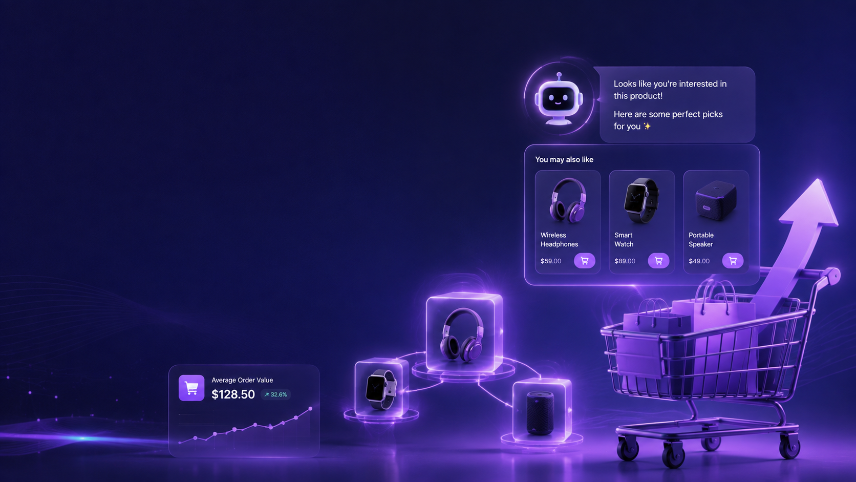
WooCommerce ships with basic "Cross-sells" and "Upsells" fields on every product — a handful of manually chosen products that sit at the bottom of the page or inside the cart. Most store owners set them once and never touch them again. Here's exactly how AI-powered cross-sell and upsell plugins replace that static setup with recommendations that actually move average order value, and how to configure them correctly on WooCommerce.
Why WooCommerce's Built-In Cross-Sells and Upsells Fall Short
Every WooCommerce product edit screen has a "Linked Products" panel with two fields: Upsells and Cross-sells. You manually type in product names, WooCommerce shows them, and that's the entire system.
The problem isn't that this feature exists — it's that it's frozen in time the moment you set it:
- It doesn't know what a shopper searched for to land on this product
- It doesn't know what they've already added to the cart in this session
- It doesn't adjust for what's trending or currently in stock
- It doesn't learn from the thousands of orders passing through your store every month
A generic, static upsell field is the equivalent of a salesperson who memorized one script in 2023 and has said the exact same line to every customer since. An AI cross-sell and upsell plugin replaces that script with a salesperson who remembers every conversation that came before.
What AI Cross-Sell & Upsell Plugins Actually Do
Before installing anything, it's worth understanding what's actually happening behind the scenes.
An AI recommendation plugin on WooCommerate does three things at once:
Analyzes real order data. It looks at what customers in your store actually buy together — not what a merchandiser guessed six months ago. If 35% of buyers of your protein powder also add a shaker bottle within the same order, the AI has already picked that up from your order history. Your static "Cross-sells" field probably hasn't been updated to reflect it.
Reacts to live session behavior. A shopper who has spent four minutes comparing product variations is behaving differently than one who added to cart within ten seconds. AI recommendation engines weight suggestions differently based on this signal — nudging toward premium add-ons for the researcher, and toward fast, low-friction bundles for the impulse buyer.
Improves continuously without manual work. Every add-to-cart, every completed order, and every ignored recommendation feeds back into the model. Three months in, the suggestions are noticeably sharper than day one — something a static field can never do on its own.
Upsell vs. Cross-Sell: The Difference That Changes Your Setup
These two terms get used interchangeably, but they call for different placement and different AI logic:
Upsell = a better, usually higher-priced version of what the shopper is already looking at (e.g., suggesting the larger size or the premium model).
Cross-sell = a complementary product that pairs with what they're buying, not a replacement for it (e.g., suggesting a phone case alongside a phone).
A well-configured AI plugin treats these as separate rules with separate goals — upsells should appear before the decision is finalized (product page), while cross-sells perform best once the core purchase is already locked in (cart and checkout).
Where to Place AI Recommendations in a WooCommerce Store
WooCommerce has three distinct high-traffic surfaces, unlike some platforms where cart and checkout are combined. Each deserves its own recommendation strategy.
Position 1: Product Page, Below Add-to-Cart
This is the highest-intent zone. The shopper is mentally committed, or close to it. This is the right spot for upsells — a higher-tier version of the exact product they're viewing.
Label it: "Upgrade your order" or "You may also prefer" outperforms the generic "You may also like" in most tests, because it signals the recommendation is directly relevant, not random.
Position 2: Cart Page, Before the Checkout Button
WooCommerce's dedicated cart page (separate from checkout) is one of the most underused recommendation surfaces on the platform. The shopper has already committed to buying at least one item — this is prime real estate for cross-sells.
What to show here: Complementary, lower-friction add-ons. If the cart contains a coffee grinder, show filters or a cleaning brush — not another grinder.
Position 3: Checkout Page (Order Review Step)
A smaller, single-item "order bump" placed just above the Place Order button. This works best for low-cost, high-margin add-ons — extended warranties, gift wrapping, or a small consumable that pairs with what's already in the cart. Keep this to one item; more than that adds friction right before payment and tends to hurt conversion rather than help it.
The Cold-Start Problem on WooCommerce (And How to Handle It)
Every store hits the same wall when first switching to AI recommendations: the model needs order data to make smart suggestions, but you need good suggestions to generate that order data.
Here's how to bridge the gap correctly:
For new products (under 50 orders): Manually assign a starting cross-sell group based on your own merchandising knowledge. The AI treats this as a starting point and gradually replaces it with data-backed suggestions as real orders come in.
For new stores (under 200 total orders): Fall back to category-level recommendations rather than product-level ones. "More from our supplements range" is less precise than a true frequently-bought-together pairing, but performs far better than showing nothing or random products.
Typical timeline:
- Weeks 1–2:Manual and category-level fallback recommendations
- Weeks 3–6:Hybrid — AI recommendations start influencing results, manual rules remain as a safety net
- Week 7 onward:Full AI-driven recommendations with meaningful accuracy
Setting Up ReComAI's Cross-Sell & Upsell Engine on WooCommerce
If you're using ReComAI's Smart Upsell & Cross-sell feature on WooCommerce, here's the exact setup flow.
Step 1: Install and Connect
Install the ReComAI plugin from your WordPress dashboard, or connect via API key if you're on a custom-built theme. ReComAI reads your product catalog and order history to begin building its initial recommendation model. Full setup details for this platform are on the ReComAI WooCommerce integration page.
Time required: 5–10 minutes, no code required for a standard WooCommerce theme.
Step 2: Activate Your Recommendation Zones
In the ReComAI dashboard, go to Product & Cart Settings → Recommendation Zones. Activate in this order:
- Product page, below Add-to-Cart (upsells)
- Cart page, before checkout button (cross-sells)
- Checkout page, single order bump (optional, enable once the above two are stable)
Step 3: Write Your Labels
Don't leave the default text. Match your brand voice:
| Zone | Suggested Label |
|---|---|
| Product page (upsell) | "Upgrade your order" or "Customers usually choose" |
| Cart page (cross-sell) | "Complete your order" or "Frequently bought together" |
| Checkout (order bump) | "Add this before you pay" |
Step 4: Configure Cold-Start Rules
Under Settings → Fallback Behavior, set rules for:
- Products with under 50 orders → use category match
- Products added in the last 30 days → use manually assigned group
- Out-of-stock or backordered products → auto-exclude from all zones
Step 5: Set Your Revenue Target
In Revenue Settings, choose the primary goal for the recommendation engine:
- Increase AOV — weight toward higher-price complementary items
- Increase units per order — weight toward lower-price add-ons and accessories
- Increase repeat purchase rate — weight toward consumables and replenishment items
Most WooCommerce stores get the best early results starting with AOV as the target, then rebalancing after 30 days of live data. You can review live product recommendations, chatbot conversations, and shopper questions in the ReComAI dashboard, or trigger a live conversation preview through the WhatsApp AI channel if you've connected it alongside your storefront widget.
Mistakes That Quietly Kill Upsell & Cross-Sell Performance
Mistake 1: Showing a Direct Competitor to the Product Already in Cart
If the AI suggests a near-identical alternative rather than a complement, you risk the shopper switching instead of adding both. In ReComAI, enable "exclude direct alternatives" and mark which product groups are substitutes, not complements.
Mistake 2: Recommending Out-of-Stock or Backordered Items
Nothing damages trust faster than clicking a recommendation and landing on a sold-out product. Set automatic exclusion rules so this never happens.
Mistake 3: Ignoring Plugin Conflicts
WooCommerce stores commonly run page builders, caching plugins, and other product plugins (like Product Bundles or Variations Swatches) alongside recommendation tools. Caching plugins in particular can serve stale, non-personalized recommendation blocks if dynamic content isn't excluded from the cache. Check your caching plugin's settings and exclude the recommendation widget from full-page caching.
Mistake 4: Cramming Too Many Products on Mobile
On mobile cart and checkout pages, two products per row is the practical limit. Three or four looks cluttered, slows the page, and increases the chance of accidental taps on the wrong item.
Mistake 5: Setting It Up Once and Never Reviewing It
Most merchants configure recommendations once and never check what's actually showing. Schedule a monthly spot-check of your top 20 product and cart pages. You'll occasionally catch a mismatched pairing that needs a manual override.
Mistake 6: Treating New and Returning Customers the Same
A first-time visitor from a paid ad and a customer on their fifth order shouldn't see identical recommendations. If your recommendation engine supports customer segmentation — ReComAI does — set different rules for new versus returning shoppers, and lean harder into loyalty-driven cross-sells for repeat buyers.
What Good Performance Looks Like on WooCommerce
Realistic benchmarks for a WooCommerce store with AI cross-sell and upsell properly configured:
| Metric | Typical Range | Good Performance |
|---|---|---|
| Recommendation Click Rate | 7–14% | 14%+ |
| Add-to-Cart from Recommendation | 3–7% | 7%+ |
| AOV Lift (vs. static fields) | 10–22% | 22%+ |
| Revenue Attributed to Recommendations | 12–28% of total | 28%+ |
These figures assume correct placement (cart page and below Add-to-Cart, not buried at the bottom of the product page alone), brand-specific labeling, and monthly review.
The One Thing Most WooCommerce Guides Skip
The single biggest factor in recommendation accuracy isn't the plugin — it's the quality of your product data feeding into it.
If your product titles are generic, your categories are inconsistent, and your product attributes are half-filled, the AI has very little signal to work with. Before optimizing placement or labels, spend 30 minutes cleaning up:
- Product categories and subcategories
- Attributes (size, material, use case)
- Tags that describe complementary product groups
- Product descriptions long enough to carry real signal
Every one of these feeds directly into how accurately the AI can pair products from day one — on WooCommerce as much as any other platform. This mirrors the same catalog-quality principle covered in our comparison of the top AI sales agents for Magento stores, and in our step-by-step guide to AI product recommendations on Shopify — the underlying setup logic carries across platforms even though the interface changes.
Frequently Asked Questions
If you're running WooCommerce and still have the default Upsells and Cross-sells fields sitting untouched, start with the two changes that matter most: activate a cross-sell block on your cart page (not just the product page), and relabel it to something specific like "Complete your order" instead of the generic default text.
That single change — moving cross-sells onto the cart page with a clear label — is typically responsible for the largest share of the AOV lift stores see in their first month after switching from static fields to AI-powered recommendations.
To see how ReComAI's AI sales agent handles this specifically for your WooCommerce catalog and order history, you can book a 30-minute walkthrough using the link below, or start a conversation directly on WhatsApp.
Keywords