How to Train Your AI Chatbot with FAQs
Teach your chatbot common questions and answers for better accuracy
You can improve your chatbot's accuracy by teaching it common customer questions and their answers using the FAQs section in ReComAI.
This allows your chatbot to respond clearly and correctly to frequently asked questions such as return policies, delivery timelines, and support queries.
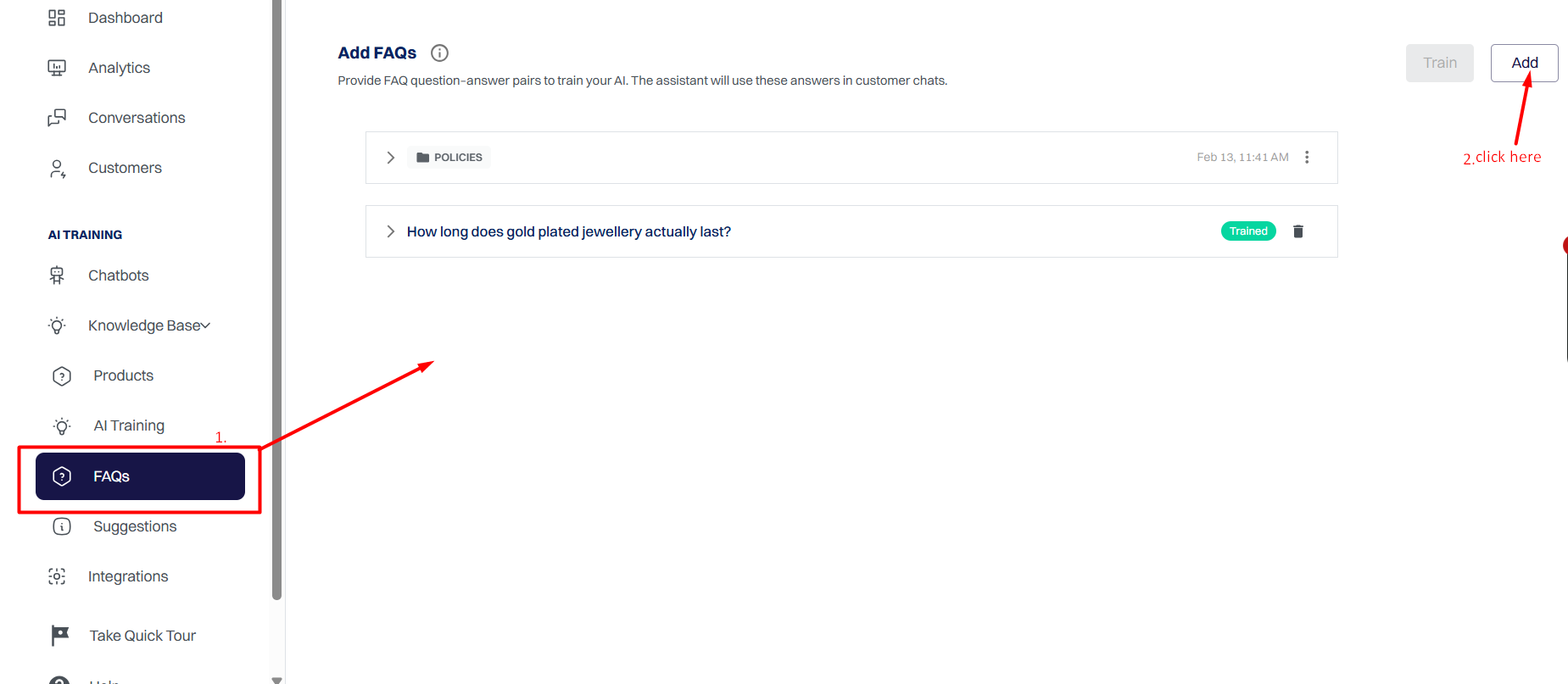
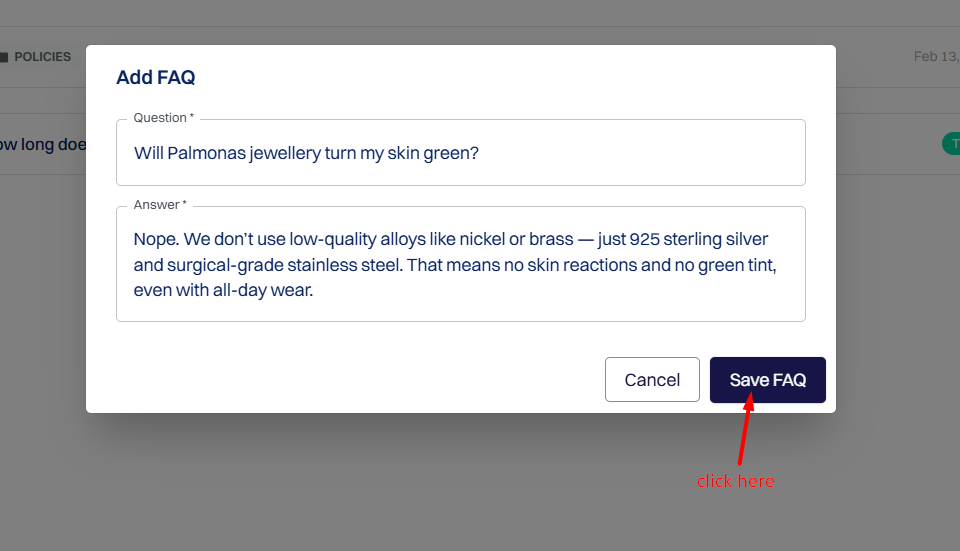
Fill in the following fields:
What a user might ask
_Example: "What is your return policy?"_
What the chatbot should respond with
_Example: "Our return policy allows returns within 30 days."_
FAQ List View#
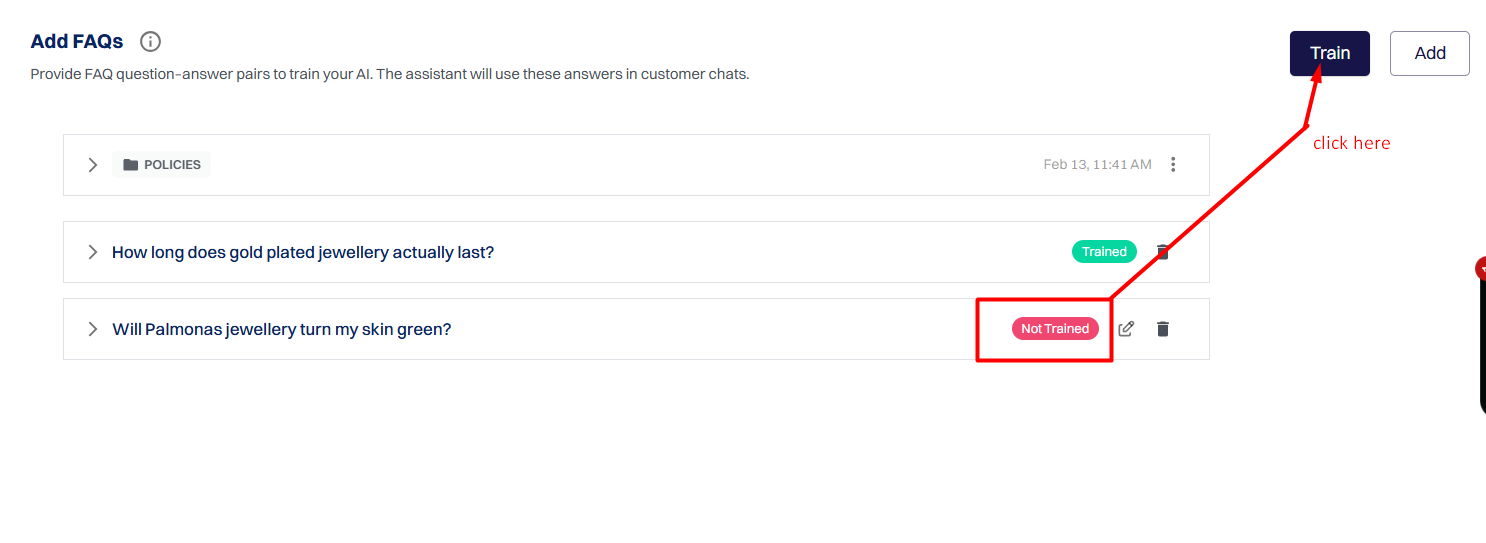
Train the AI#
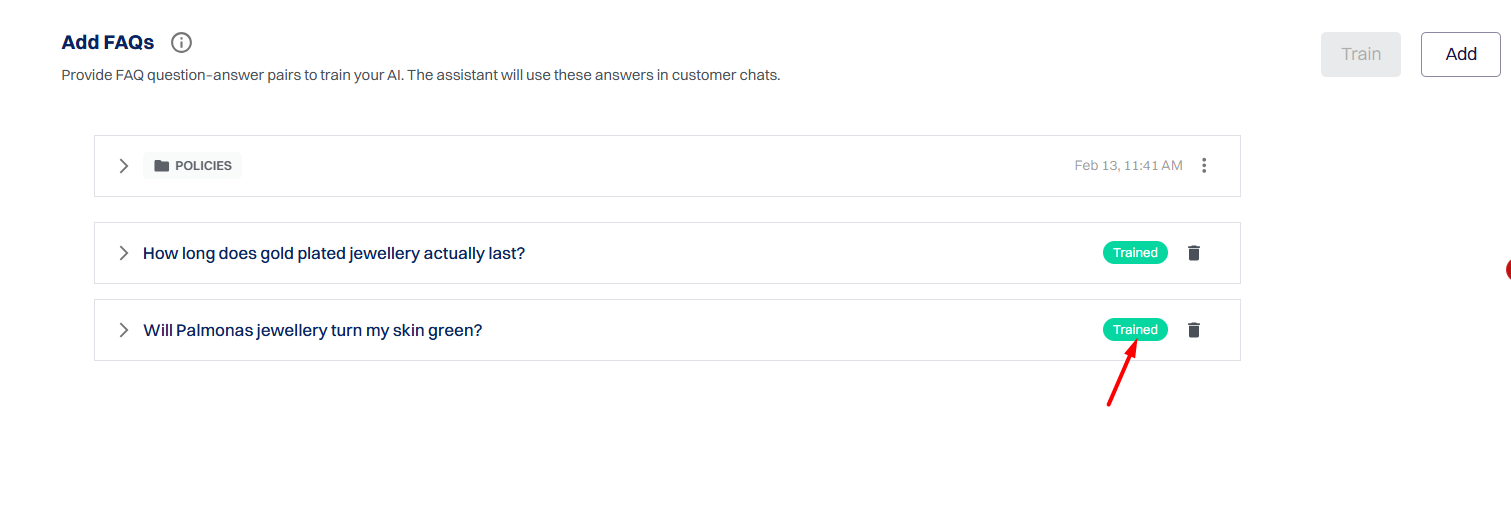
⚠️ Important Note: Add FAQs to Data Source#
Adding FAQs and training them is not enough.
To make sure your chatbot can actually use these FAQs while chatting with users, you must add them to the Data Source section of the chatbot.
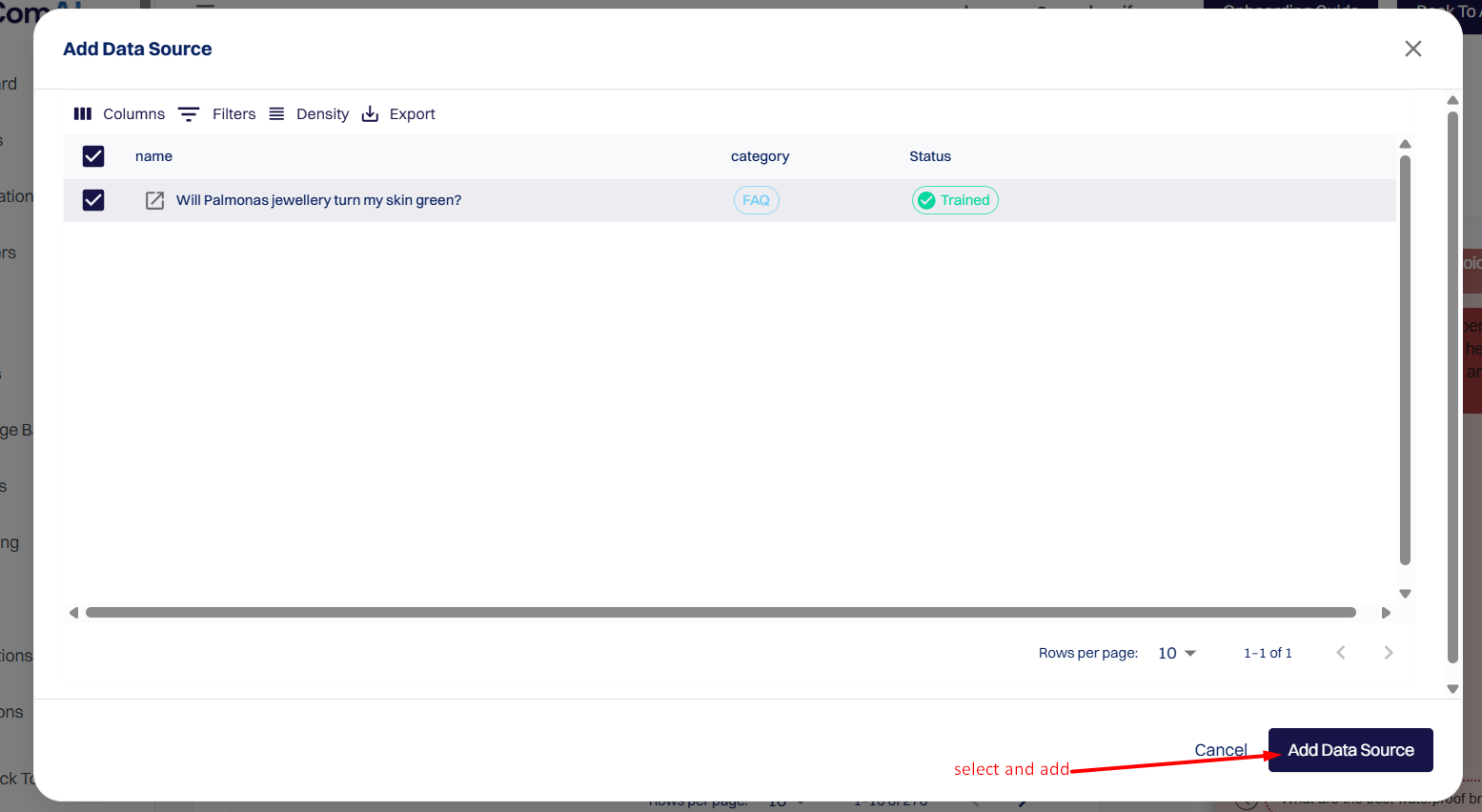
To understand this process in detail, refer to this guide:
👉 https://www.recomai.one/help-center/how-data-source-works-for-chatbot-training-in-recomai
Without adding FAQs to the Data Source, the chatbot will not read or respond using this data.
Final Result#