
/Feature Guide/whatsapp contact integration setup guide
Feature Guide
3 min read
JUne 7, 2026
Verified Guide
WhatsApp Contact Integration - Complete Setup Guide
Enable WhatsApp Contact in your chatbot and let customers start WhatsApp conversations directly from the Contact Us section.
The WhatsApp Contact feature allows you to add your business WhatsApp number directly to the chatbot. This enables customers to quickly start a WhatsApp conversation with your team whenever they need additional assistance.
Once enabled, a WhatsApp icon appears in the chatbot's Contact Us section alongside the Chat Now and Email options.
How to Enable WhatsApp Contact#
Screenshot Preview
1
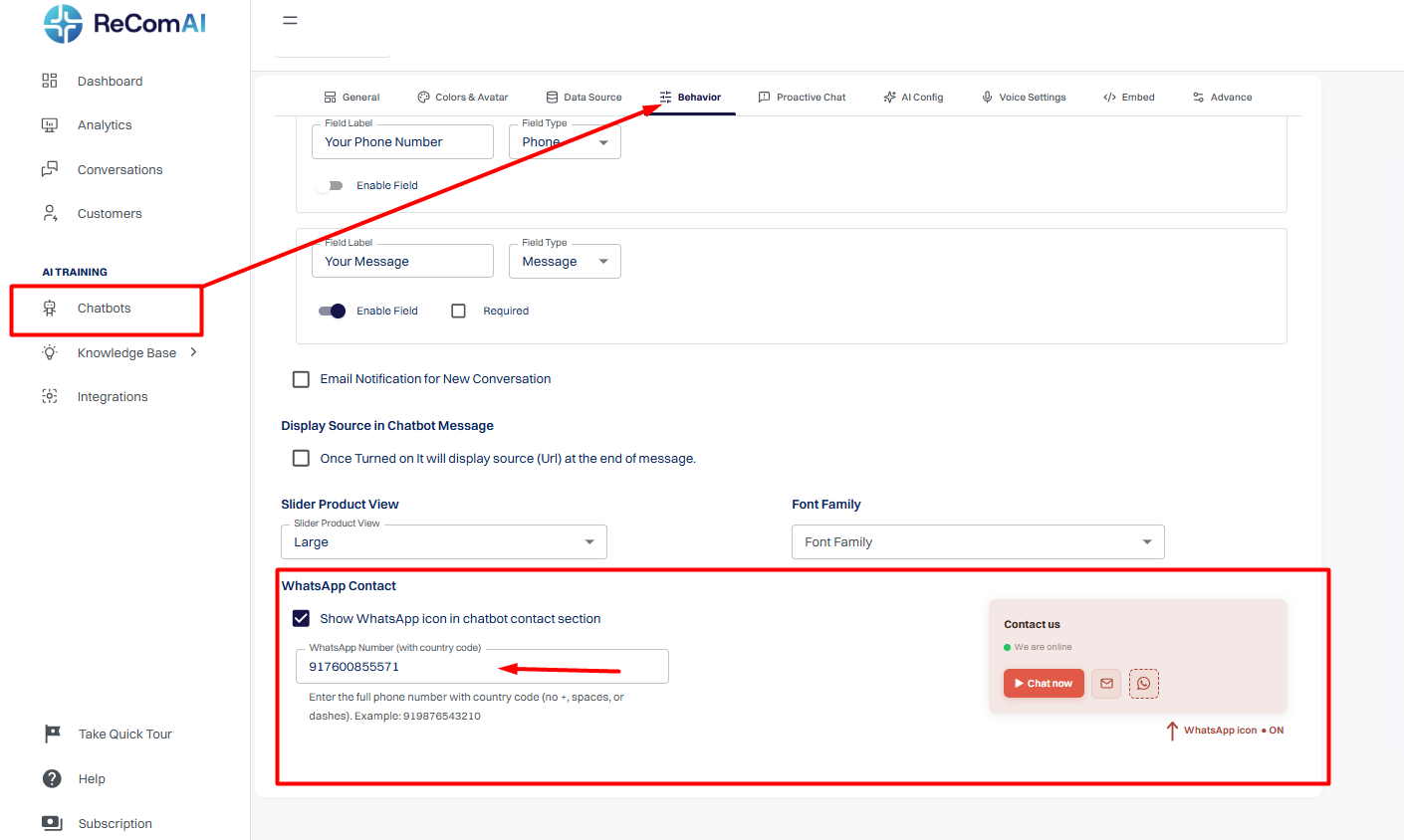
From the left sidebar, go to Chatbots.
2
Open the chatbot you want to configure.
3
Navigate to the Behavior tab.
4
Scroll down to the WhatsApp Contact section.
5
Enable the Show WhatsApp icon in chatbot contact section checkbox.
6
Enter your WhatsApp number with the country code in the input field.
Enter only the full phone number with the country code.
Do not include +, spaces, or dashes.
7
Example:
919876543210
8
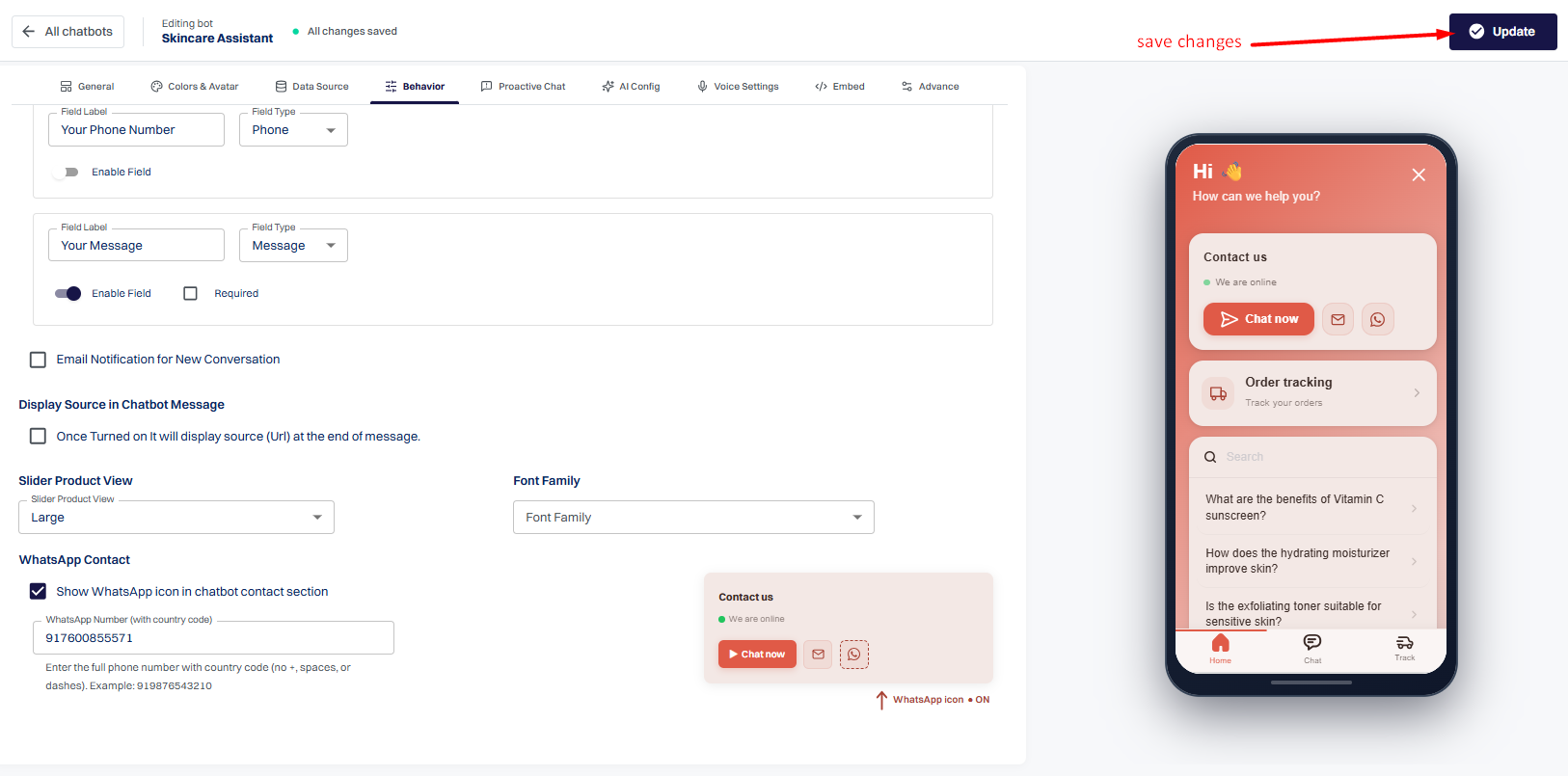
Click Update or Save Changes to apply the configuration.
Screenshot Preview
Where Will It Appear?#
After saving your changes:
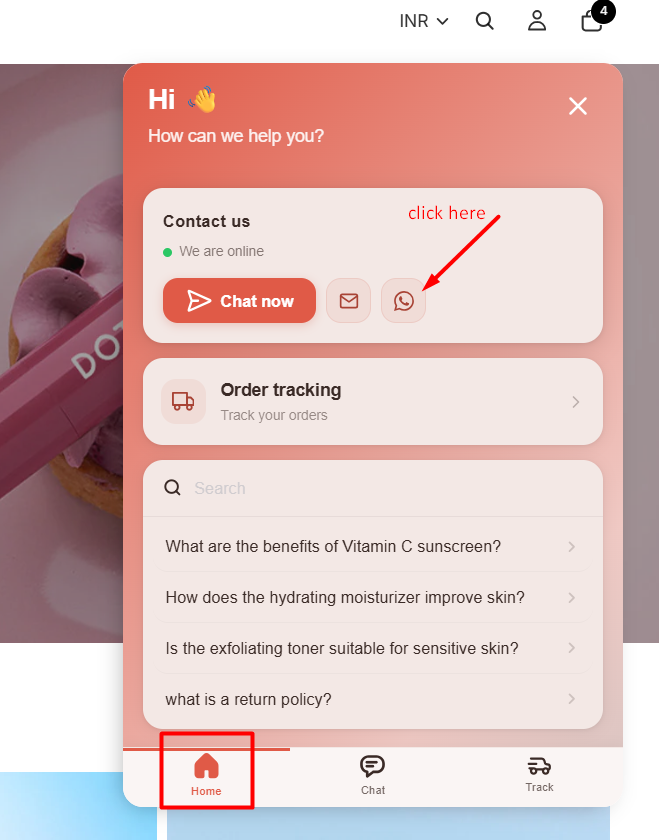
Open the chatbot on your website.
Go to the Home tab.
In the Contact Us section, you'll now see a WhatsApp icon next to the Chat Now and Email buttons.
Customers can simply click the WhatsApp icon to start a conversation with your business using the configured WhatsApp number.
Screenshot Preview
Benefits#
Allow customers to contact your business instantly through WhatsApp.
Provide an additional support channel alongside live chat and email.
Improve customer accessibility and response times.
Help users continue conversations on their preferred messaging platform.
Important Notes#
Make sure the WhatsApp number entered is active and can receive messages.
Always include the country code when entering the phone number.
Do not use the + symbol, spaces, or hyphens in the phone number.
If the feature is disabled, the WhatsApp icon will not be displayed in the chatbot.