URL Sources (Website Knowledge) Guide
Connect your website pages to ReComAI and train them to improve chatbot responses
The URL Sources feature in ReComAI helps you connect your website pages to the chatbot's Knowledge Base.
When you add a website URL, ReComAI will scan your pages, collect the content, and use it to train your bot. After training, the bot can answer customer questions using the information available on your website pages.
This is useful when you want your chatbot to automatically learn content like:
product collections
product details
shipping & return pages
policies
FAQs
blog posts
about us pages
How to Add Website Pages Using URL Sources
Follow these steps to add and train your website pages in ReComAI:
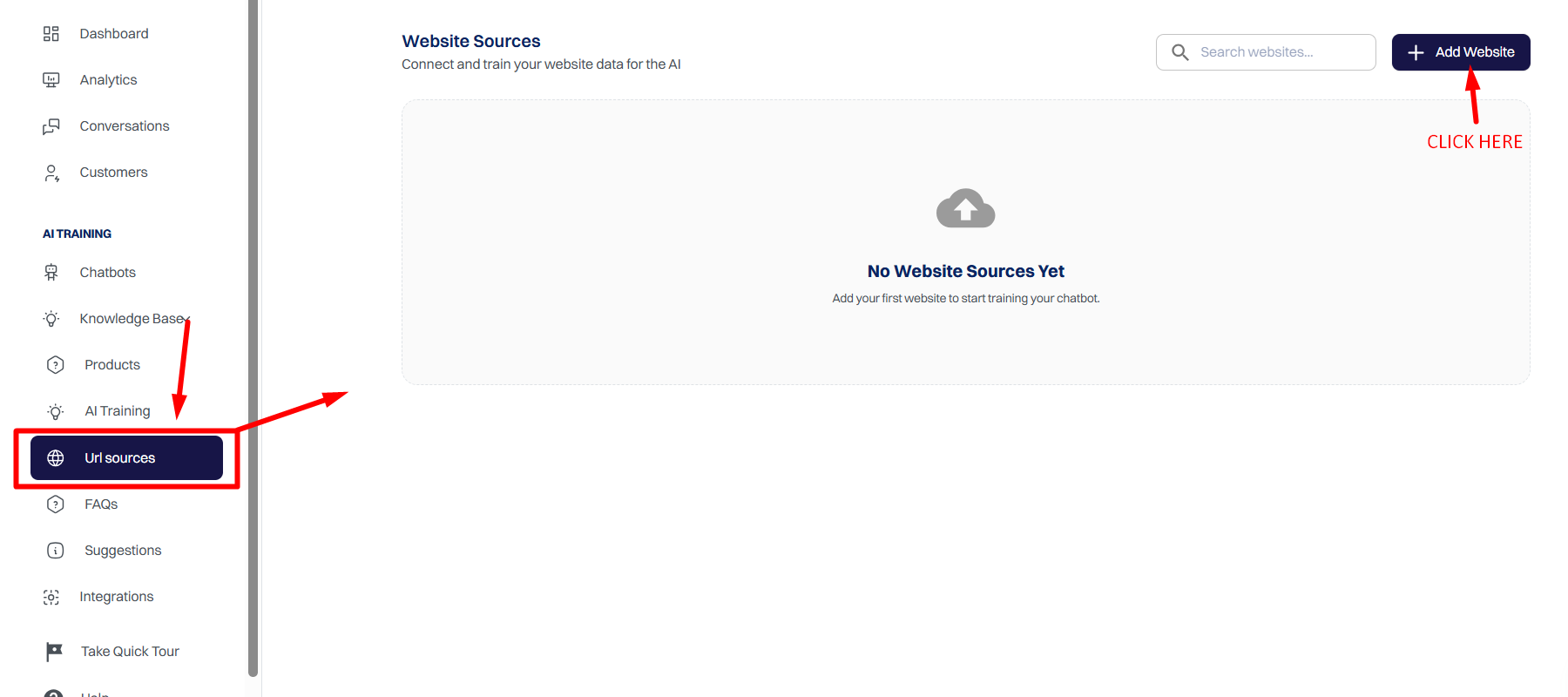
Step 1: Open URL Sources
Go to your ReComAI Dashboard
From the left menu, click URL Sources
Click the Add Website button
Step 2: Add Website Name and URL
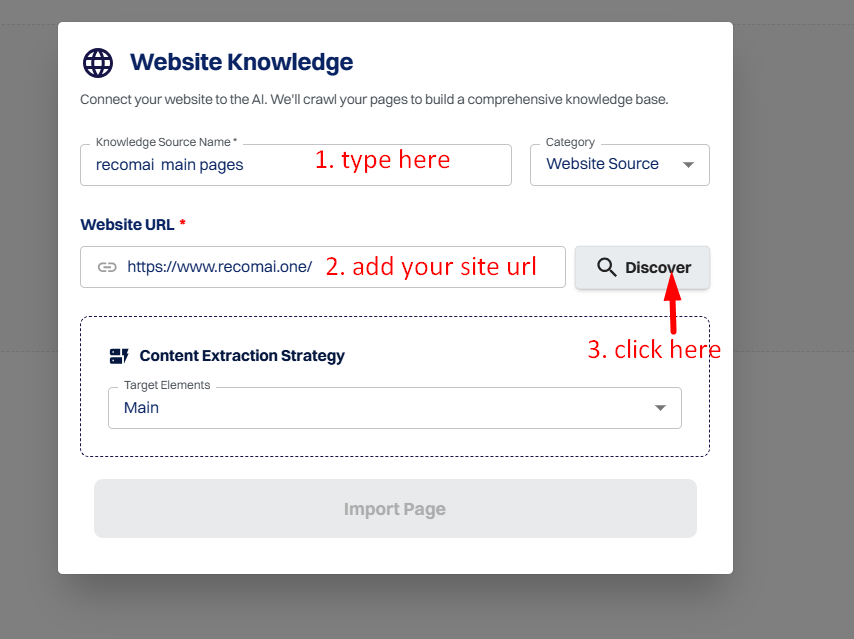
Open a popup on the screen and fill in the following details.
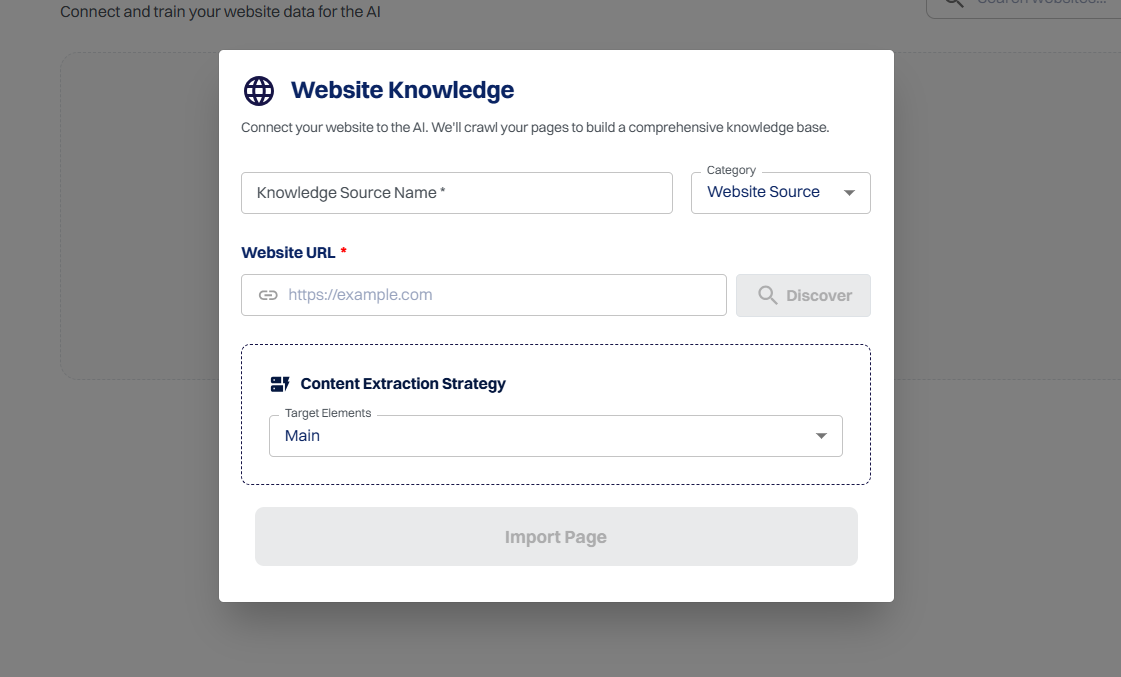
Enter your Knowledge Source Name
(Example: Palmonas)
Enter your Website URL
(Example: https://yourwebsite.com)
Click Discover
Step 3: Select Pages to Train
After scanning, you will see a list of pages.
You can:
select specific pages you want to train
or select all pages (recommended)
This gives you full control over what content should be used for chatbot training.
Step 4: Import Pages
Once you select the pages:
✅ Click the Import Pages button
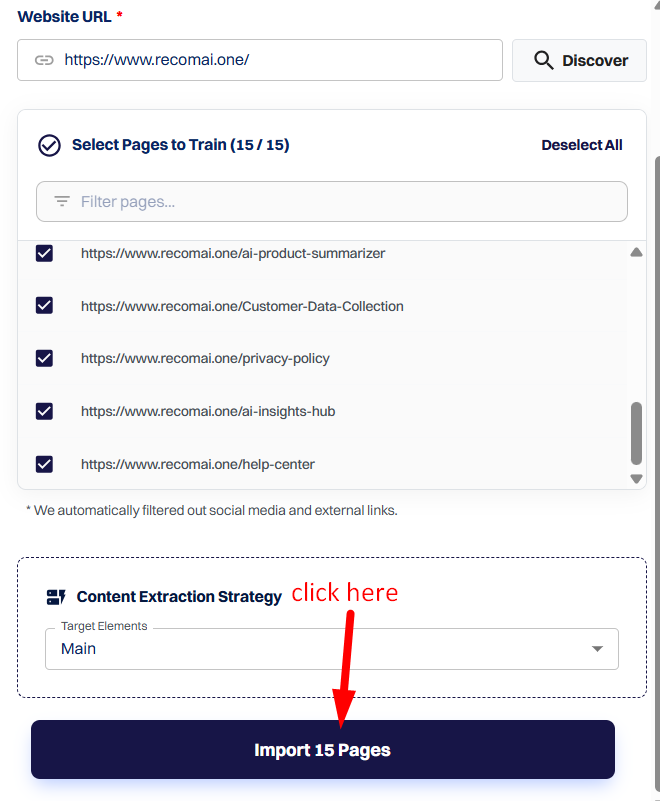
This will add the selected URLs into your website source list.
Step 5: Train the Imported Pages
After importing, click the Train button.
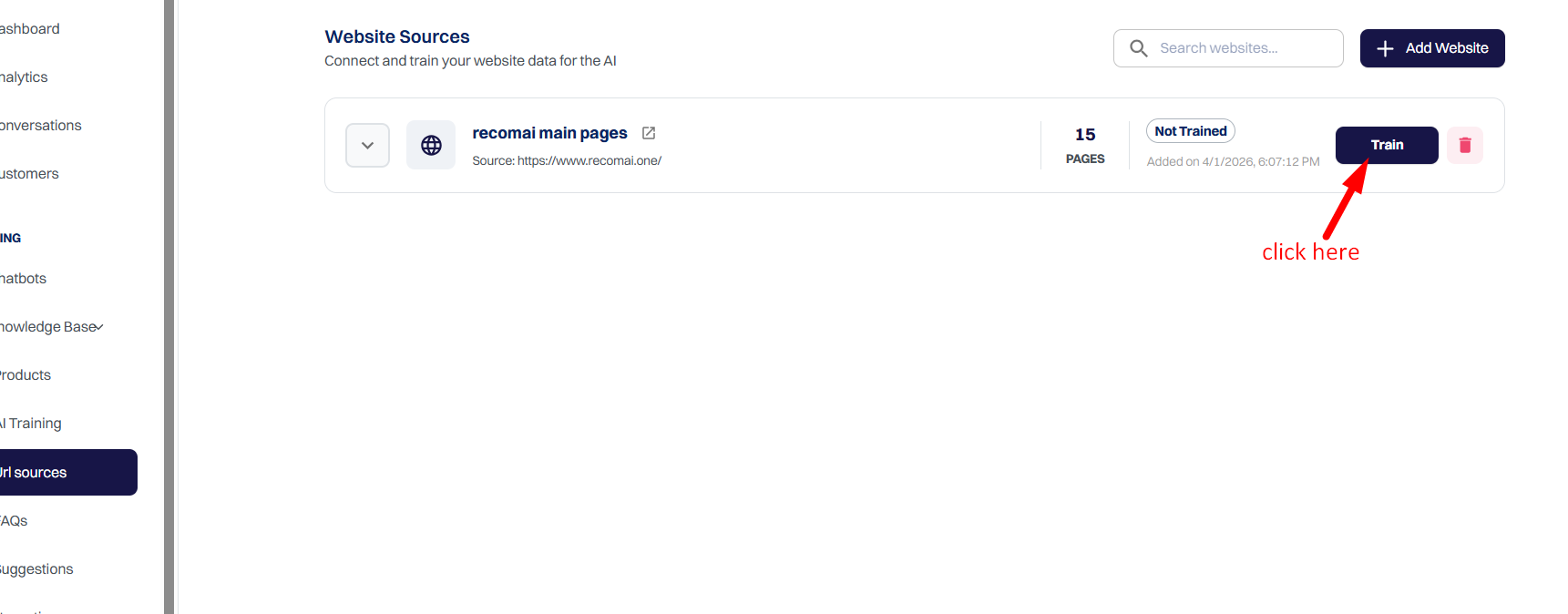
ReComAI will now read all selected pages and convert them into chatbot knowledge.
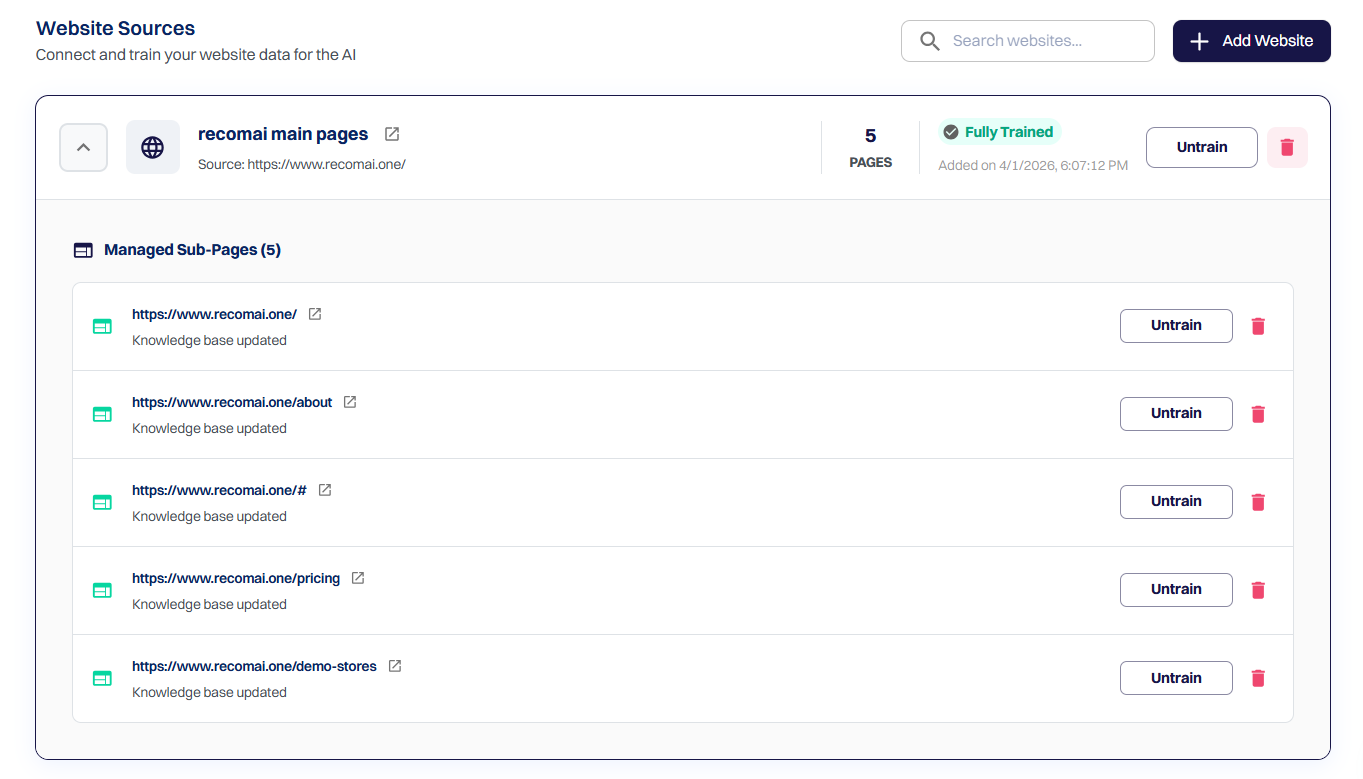
Please note: Training time depends on the number of pages.
Step 6: Add Pages to Knowledge Base
After training is completed:
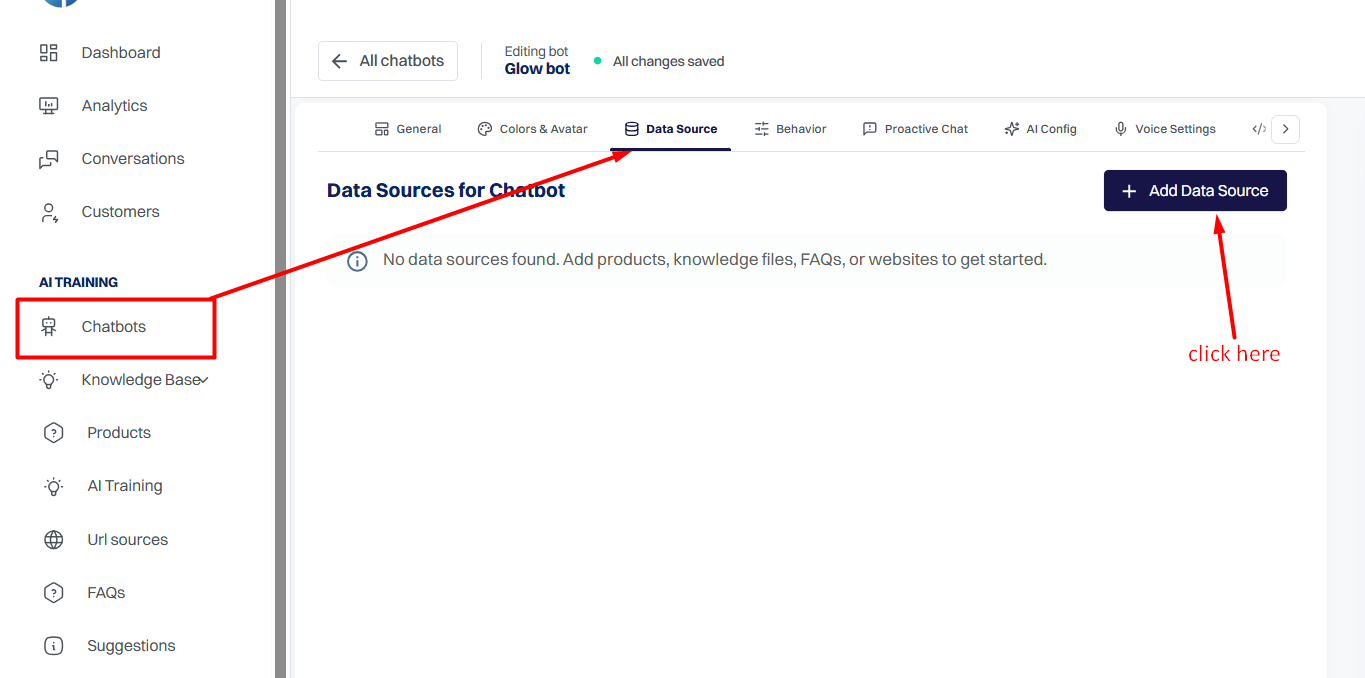
Go to the Data Source section
Click Add to Knowledge Base
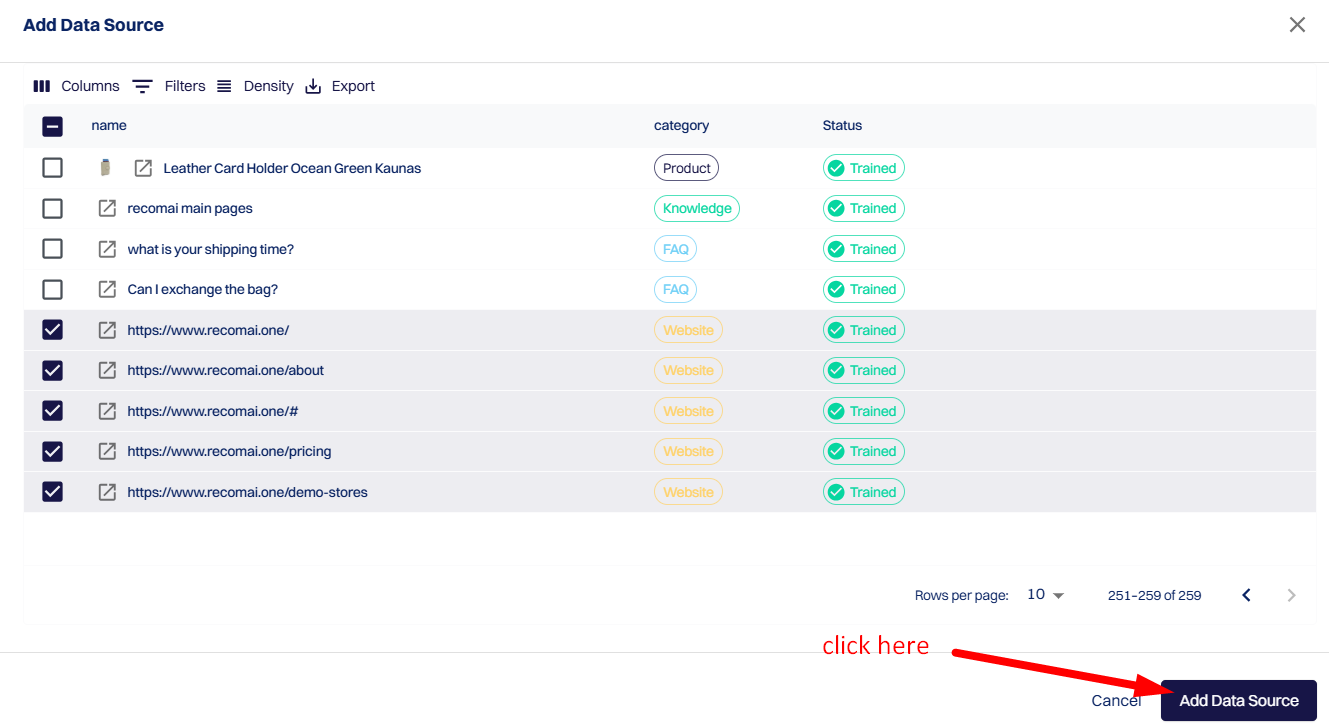
Select the trained website URLs and click the 'Add Data Source' button.
Now click the 'Update' button to add the trained website URLs to the knowledge base.
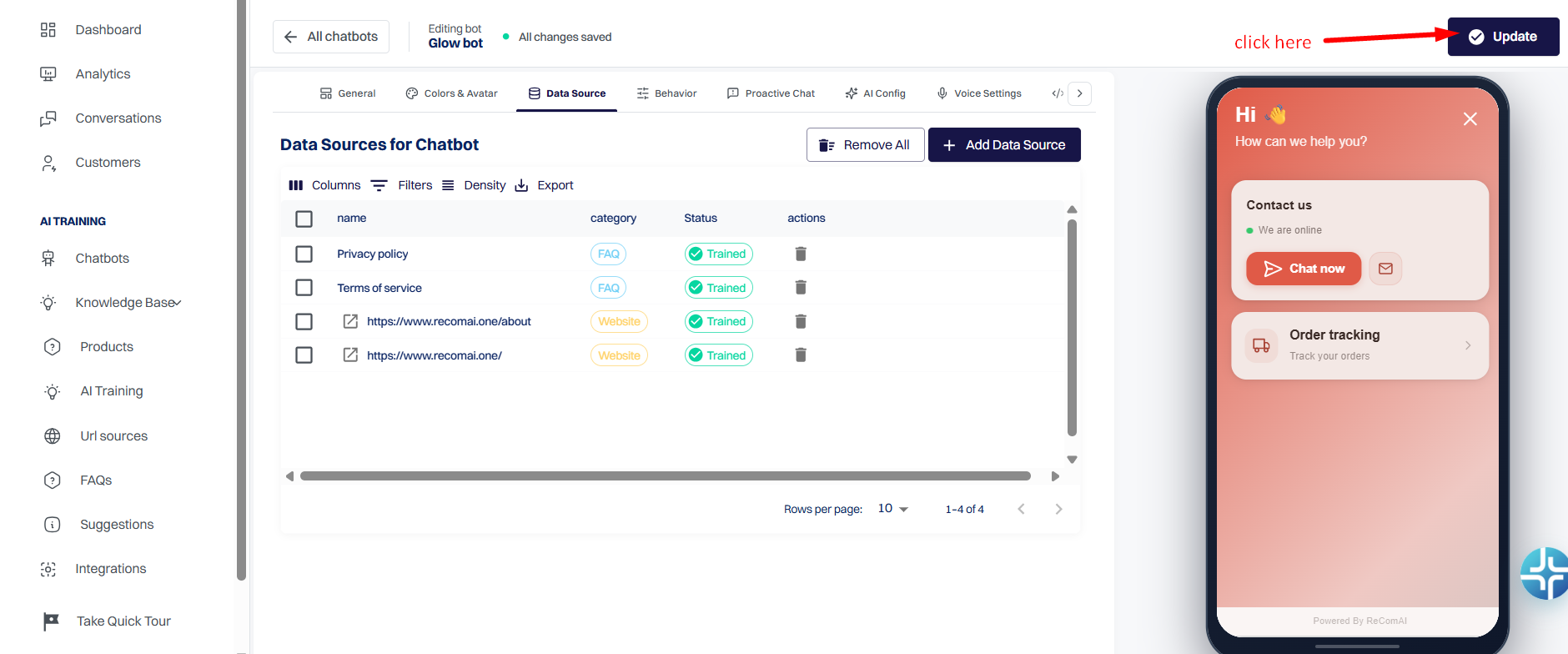
Important: This step is important. If you do not add it to the Knowledge Base, the bot will not use it in responses.
What Happens After Training?
Once your website pages are trained and added to the Knowledge Base:
✅ The bot can automatically answer customer questions using your website content.
✅ Even if users ask random questions, the bot can find answers from the trained pages.
✅ Your chatbot becomes smarter without manual FAQs.
Tips for Best Results
Always train your important pages like policies, shipping, returns, and product collections.
Avoid training unnecessary pages like login pages, cart pages, or social links.
Please note: Re-train your website pages whenever you update your website content.