Quick Questions in ReComAI Chatbot
Pre-defined questions that help users start conversations instantly
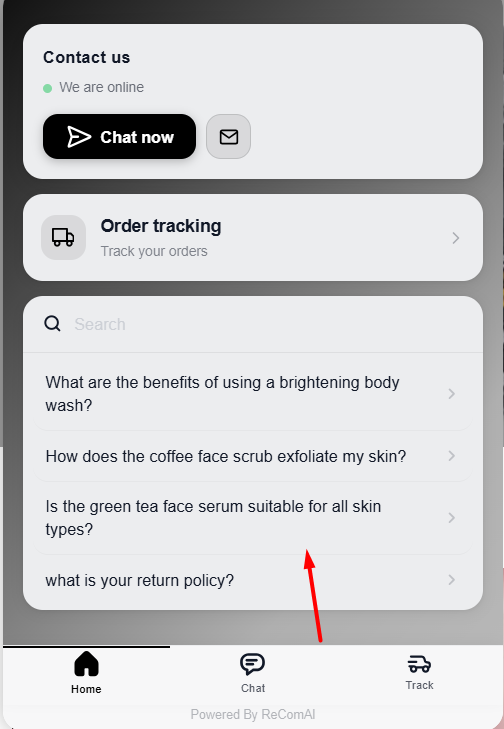
Quick Questions are a key feature of the ReComAI chatbot that help users start a conversation instantly without typing. These questions are shown as clickable suggestions and guide users to interact with the chatbot easily.
How are Quick Questions generated?#
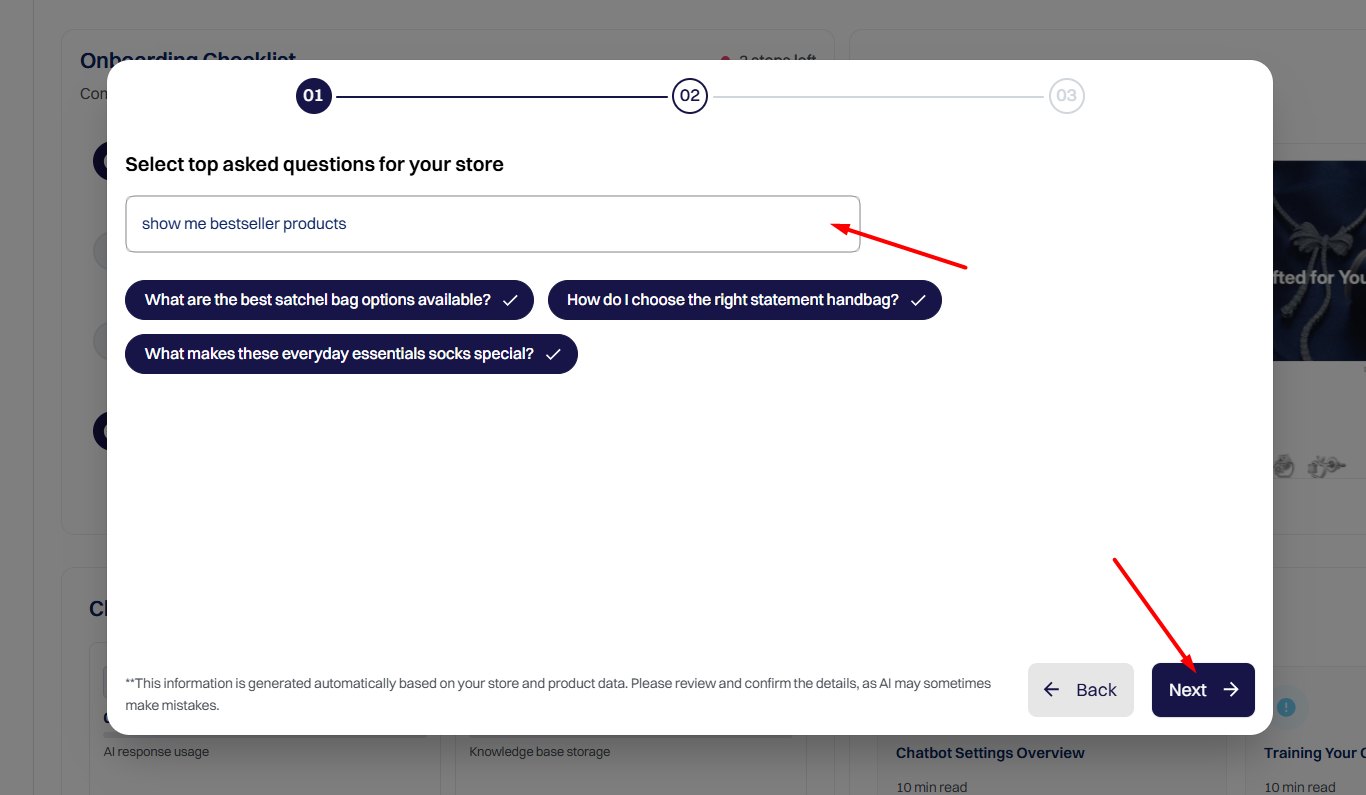
During the ReComAI onboarding process, the system automatically generates 3 - 4 Quick Questions based on your store category and product collections. These questions are created using your store data and common customer intent.
At this stage, you can:
Selecting top questions during onboarding#
While onboarding, you will see a step called:
"Select top asked questions for your store"
In this step, you can:
This helps you set up an optimized chatbot from the beginning.
Where can you manage Quick Questions later?#
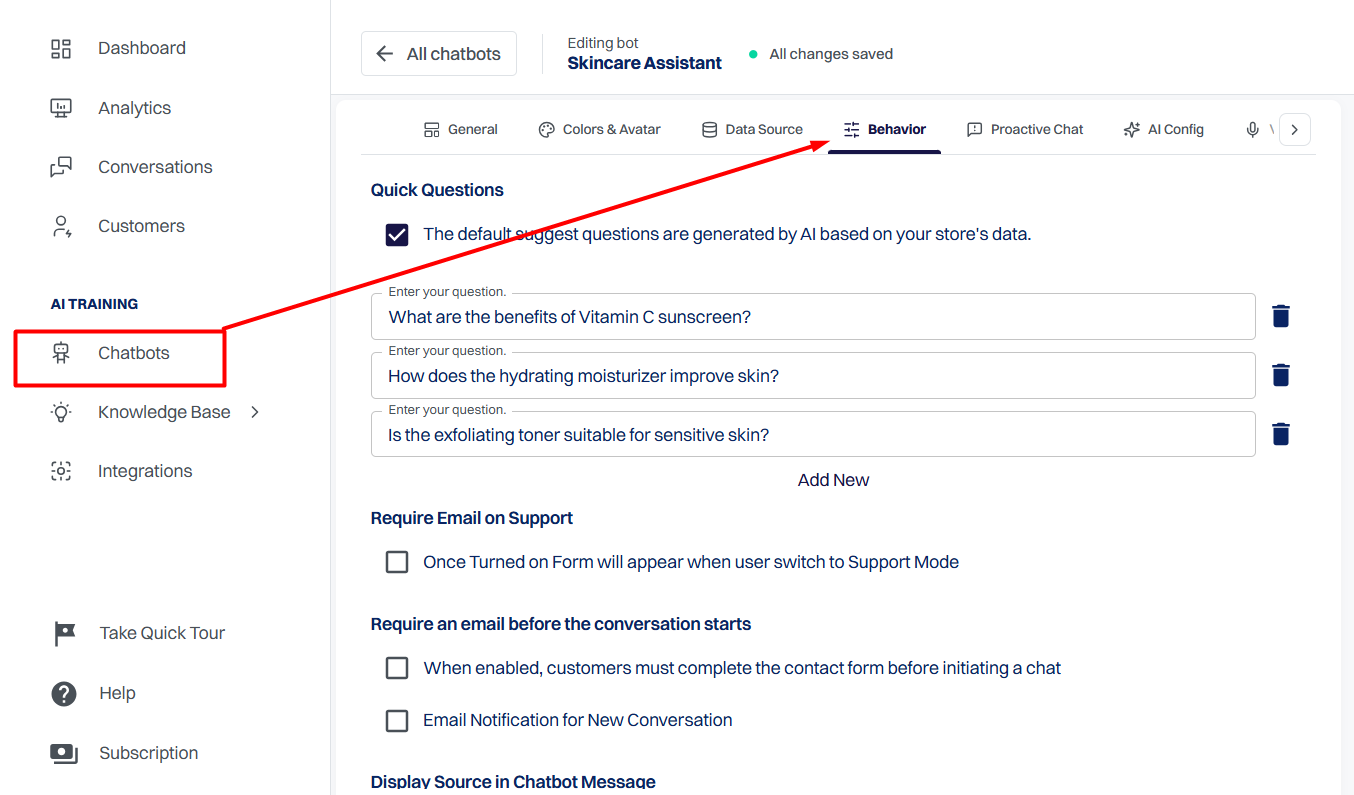
If you want to make changes in the future, you can manage Quick Questions anytime from the ReComAI Dashboard.
Path:
ReComAI Dashboard → Chatbots → Create & Customize Your Bot → Behavior Tab
The Quick Questions section is available at the top of the Behavior tab.
Updating, removing, or adding new Quick Questions#
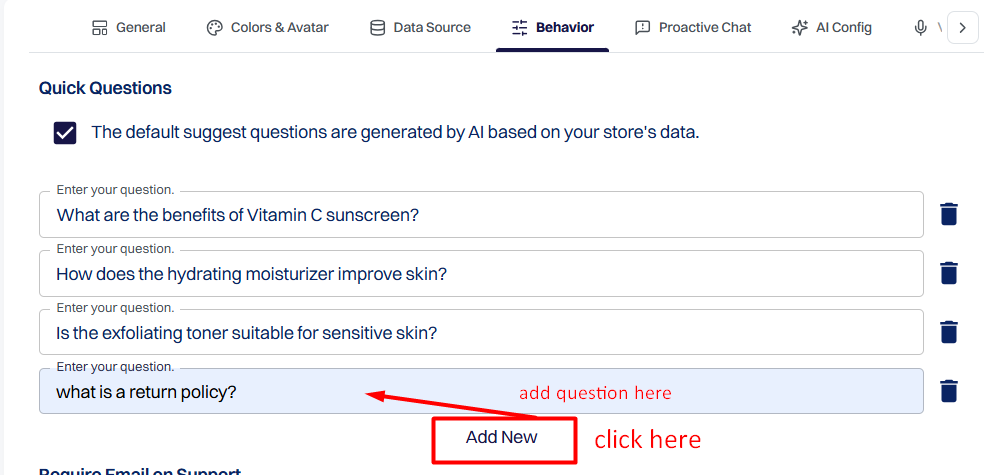
From the Quick Questions section, you can:
Once you save the changes, the updated questions become immediately visible to users in the chatbot.
How do Quick Questions appear to users?#
This creates a smooth and user‑friendly chat experience.