How to Use the AI Product Summarizer Widget
A simple guide to add, customize, and use the Product Summarizer on your Shopify store
The Product Summarizer is an AI-powered widget made for Shopify product pages.
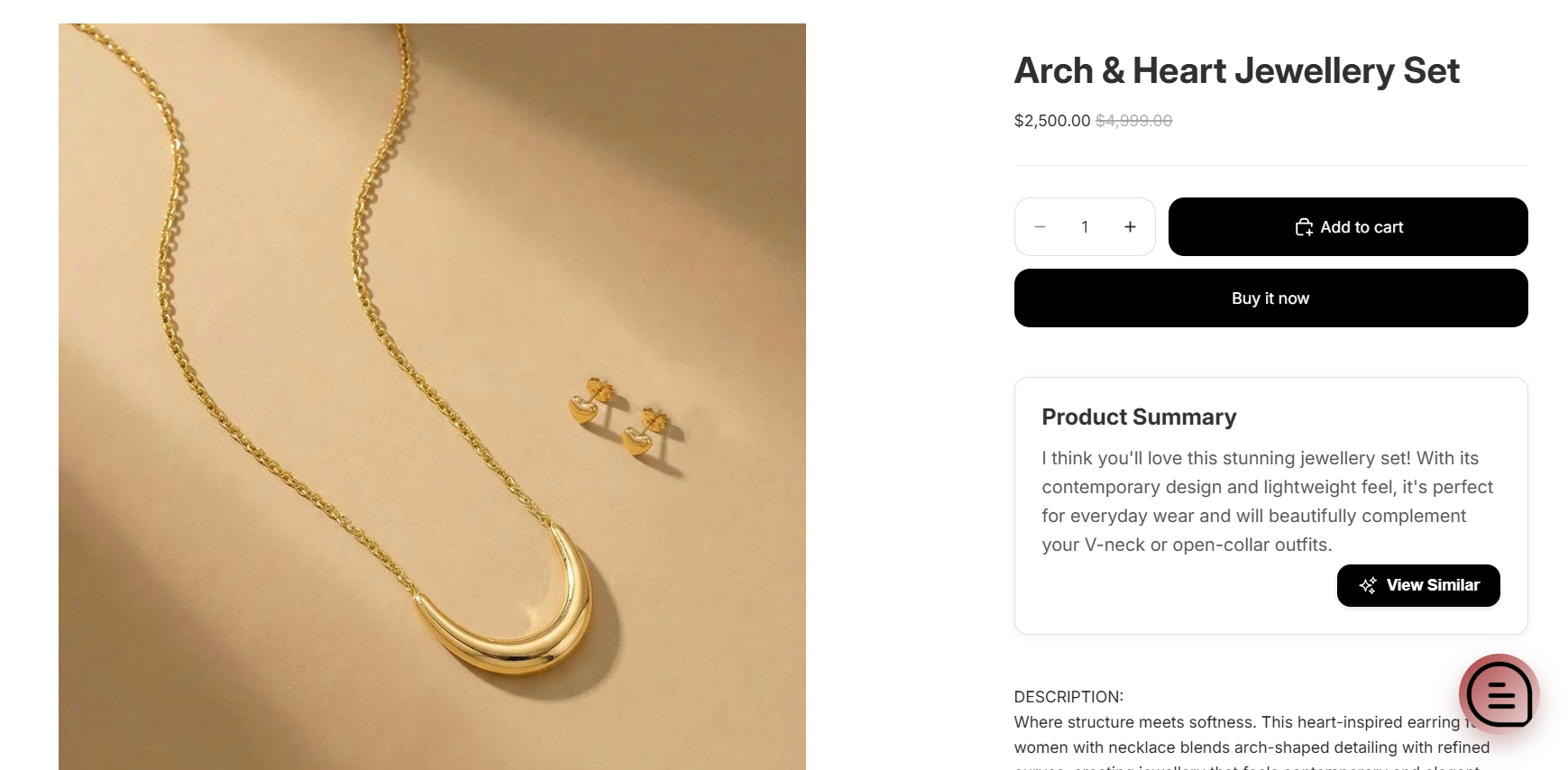
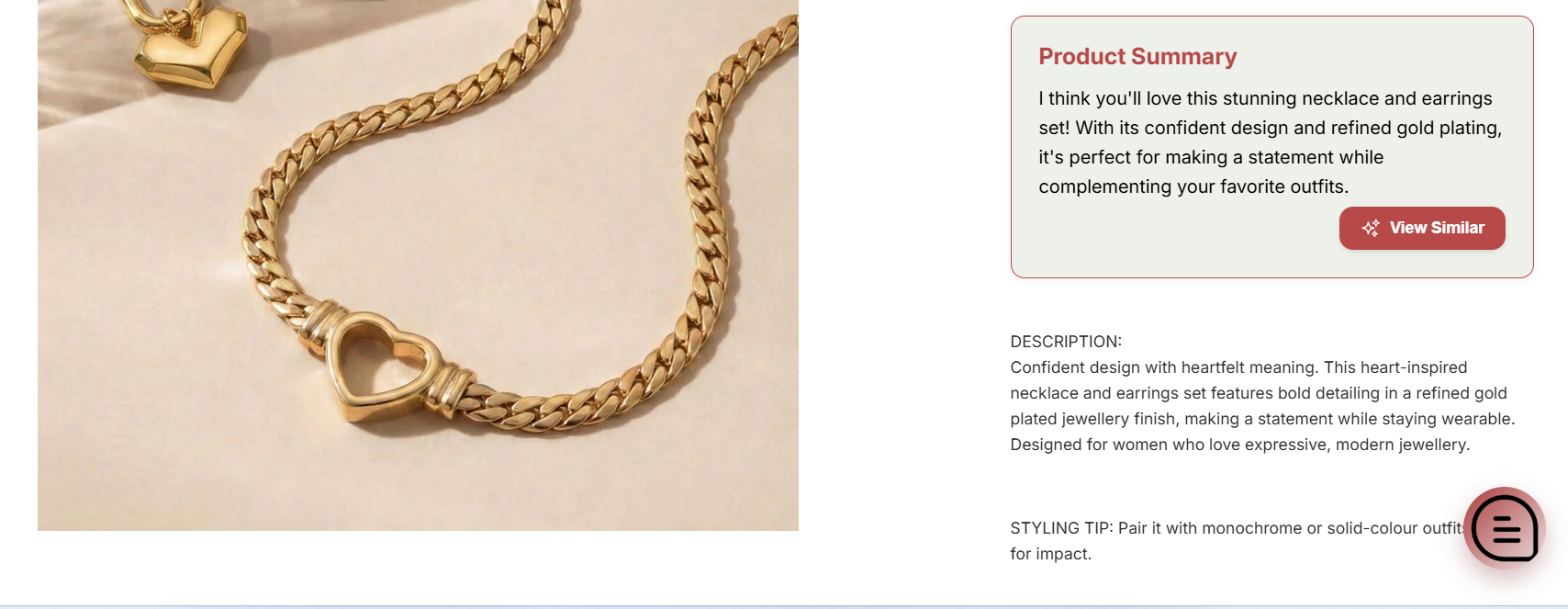
It shows a short and clear AI-generated summary of your product. This helps customers quickly understand the main benefits without reading long descriptions.
It also includes a "View Similar" button that opens the chatbot and suggests related products.
Where to Find This Feature
Path:
Chatbot → Theme Extension → Product Summarize Widget
What This Widget Does
Shows a short AI product summary
Helps customers understand key benefits fast
Improves product discovery
Opens chatbot for similar product suggestions
Works directly inside Shopify product pages
How to Add the Product Summarizer Widget
Step 1: Go to Shopify Admin
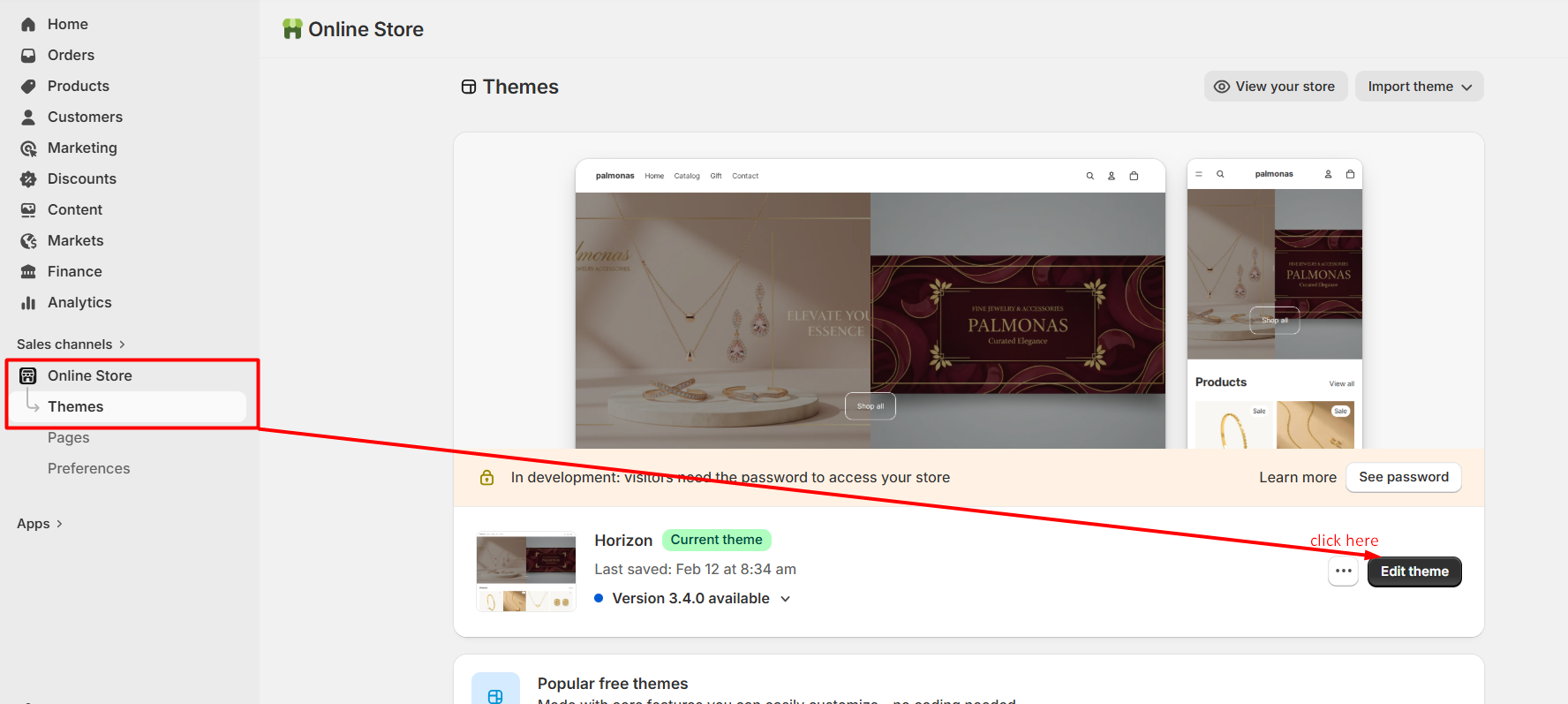
Click on Online Store → Themes
Step 2: Click Customize
Open your active theme and click Customize
Step 3: Open Product Template
From the top dropdown, selectProducts → Default Product
Step 4: Add the Block
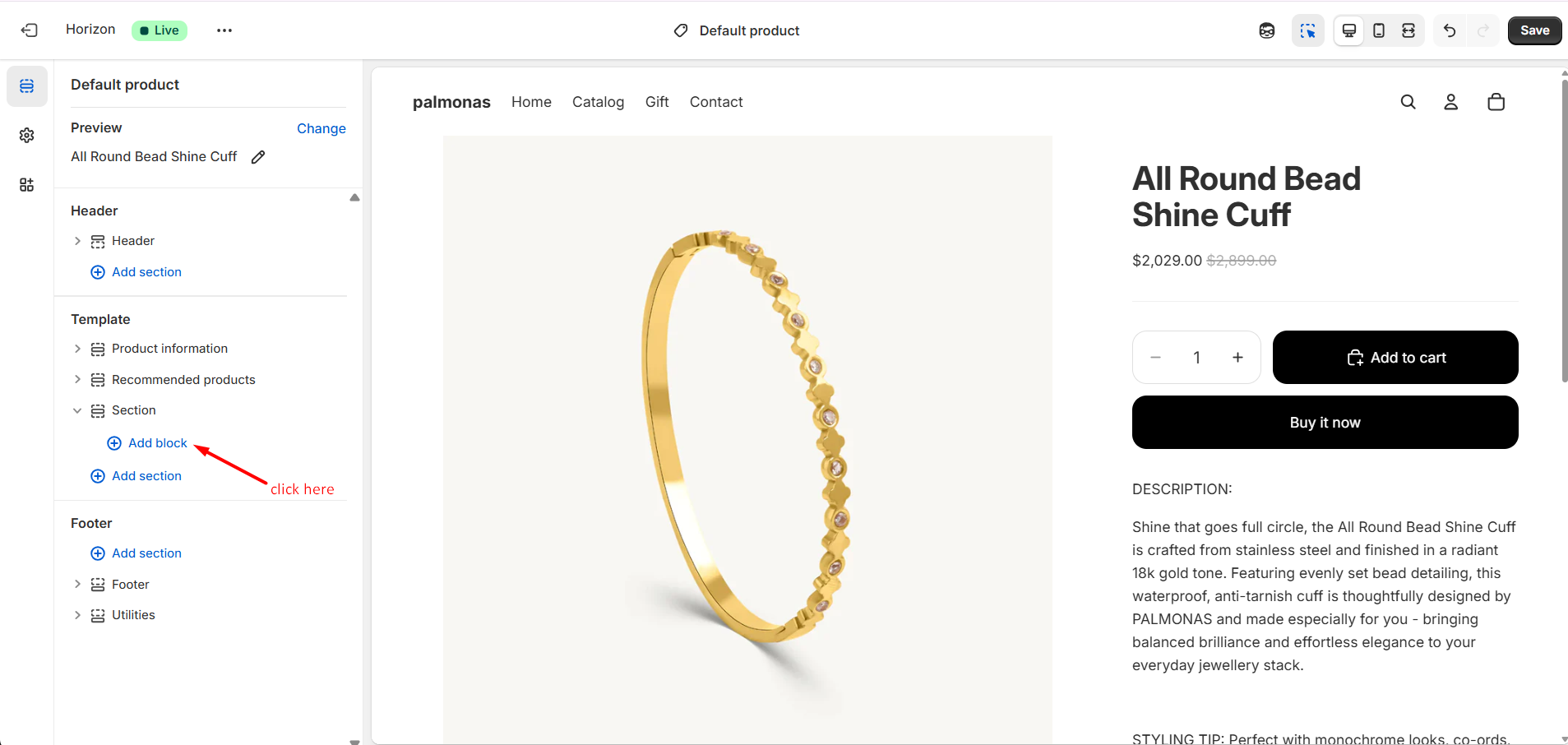
Click Add Block
Select Product Summarize Widget
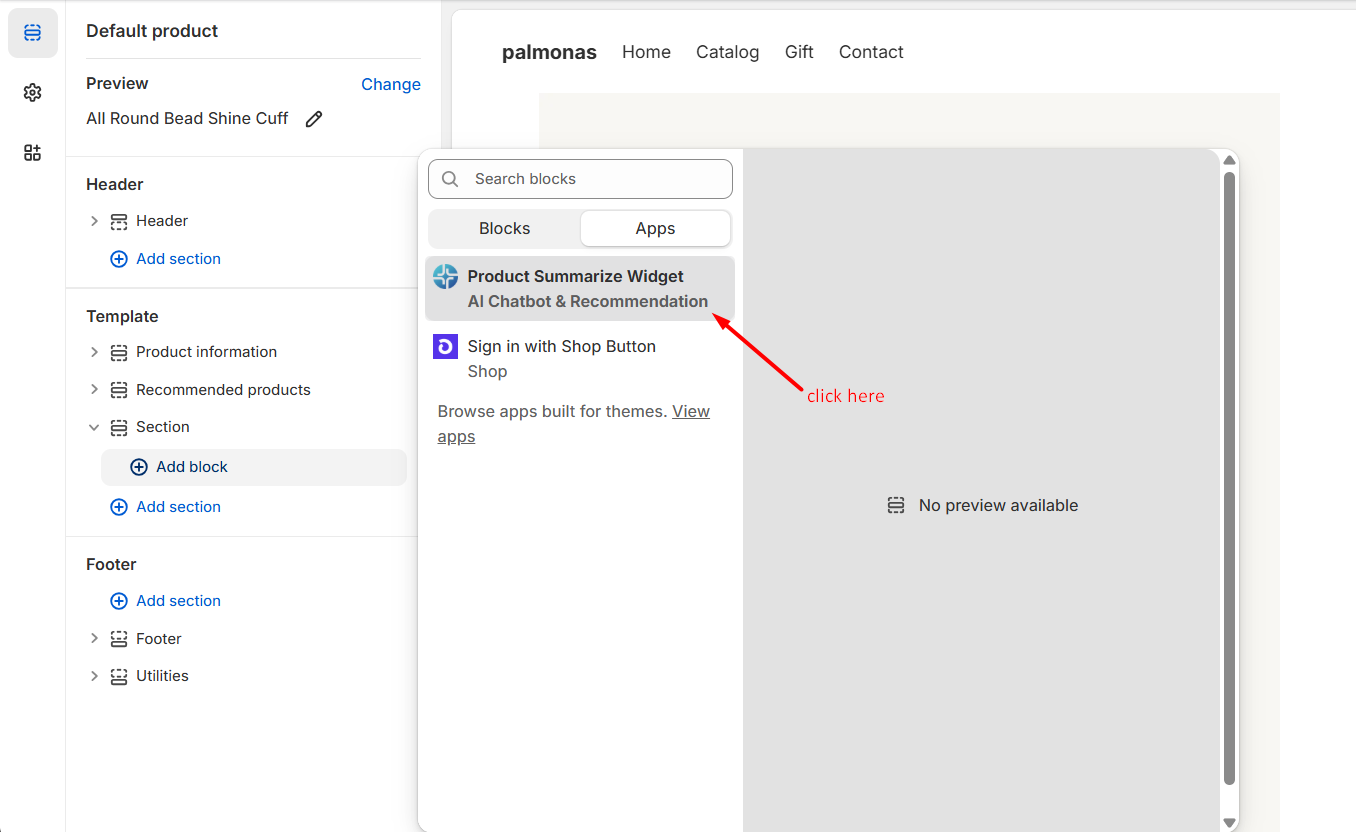
Step 5: Adjust Position
Drag and place the widget where you want it on the product page
Step 6: Click Save
Click Save to apply changes
Now the widget will appear on your product pages.
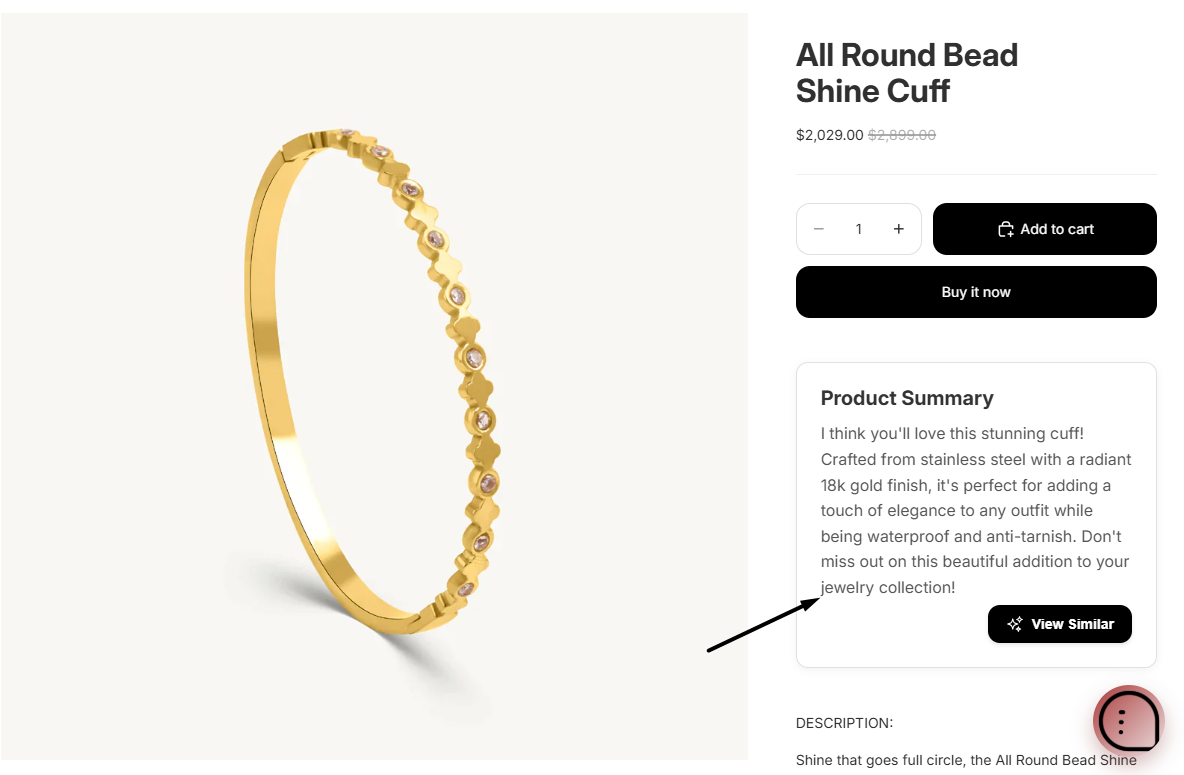
How the AI Summary Works
When the product page loads, AI checks product data
It creates a short and clear summary
The summary is shown inside the widget
Customers can read it quickly and understand the product better
View Similar Button
The widget includes a "View Similar" button.
When a customer clicks this button:
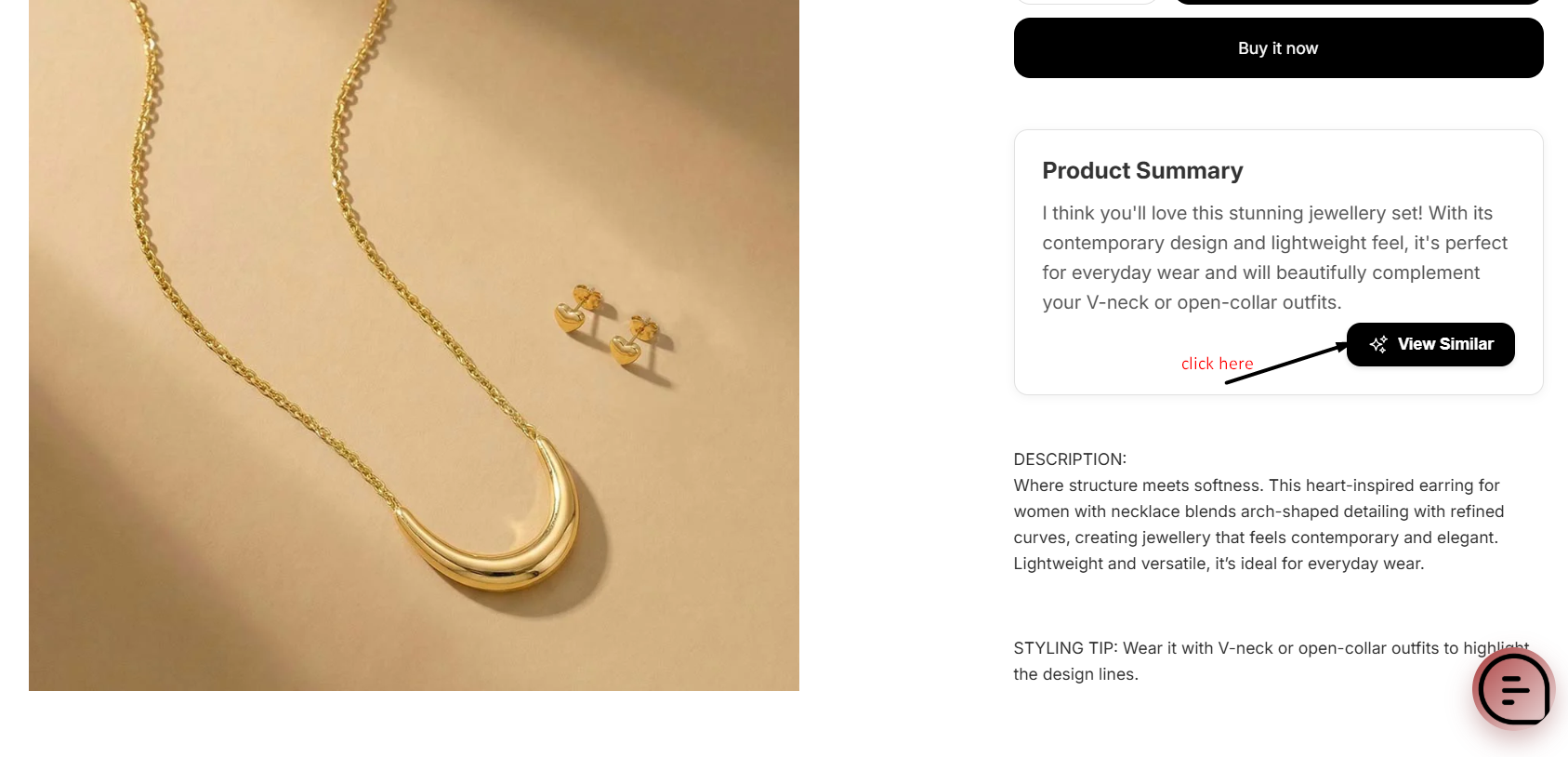
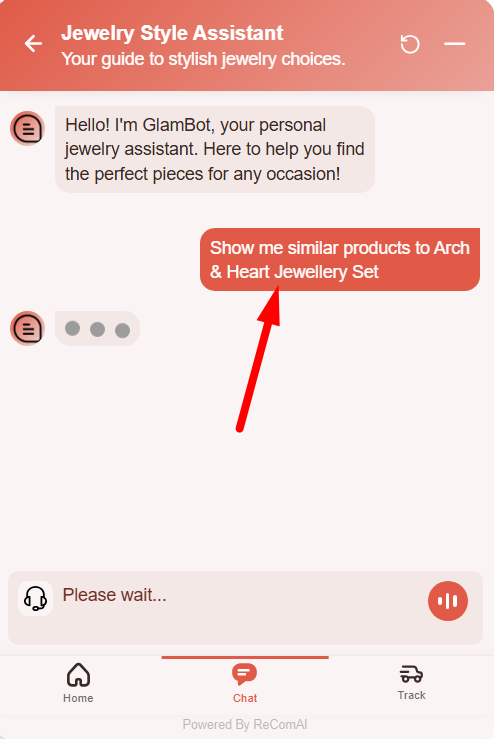
The chatbot opens automatically
It searches for similar or related products
It suggests better or alternative options
This helps increase engagement and sales.
Customization Options
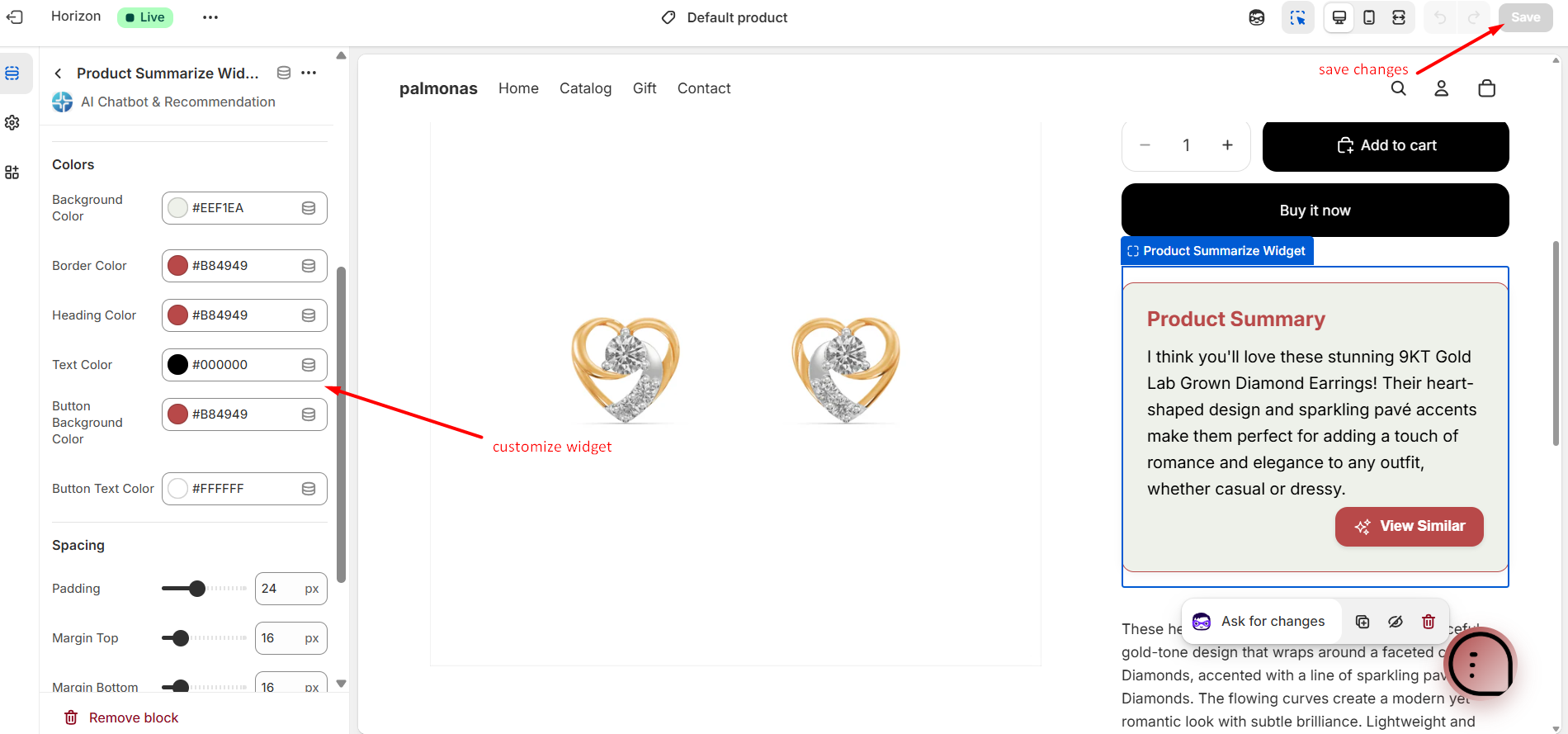
You can change the design from the Shopify Theme Editor.
You can adjust:
Background color
Border color
Heading size
Text size
Spacing
Border radius
Loading style
All changes are visible in live preview before saving.
Why You Should Use This Widget
Customers understand products faster
Reduces confusion
Saves time
Improves product engagement
Increases chances of conversion
Easy to install and manage
Final Note
The Product Summarizer is built as a native Shopify theme block.
You can enable, disable, or customize it anytime from the Theme Editor.
It is simple to use and helps improve your product pages with AI-powered summaries.