How Email Notifications Work in ReComAI
Stay informed with timely emails from ReComAI
ReComAI uses email notifications to keep users informed at every important step.
Whenever a user installs, uses, or uninstalls ReComAI, the system sends the right email at the right time. These emails help users understand what is happening and what to do next.
Below is a simple explanation of all email notifications in ReComAI.
OTP Verification Email#
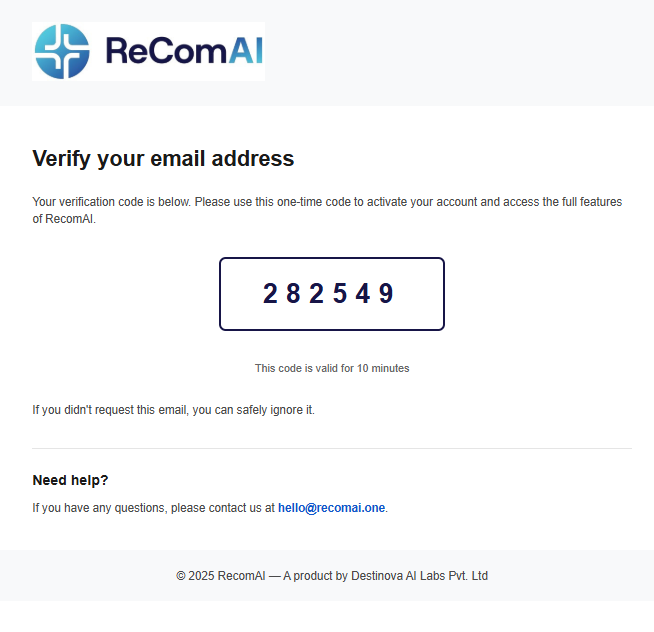
The OTP Verification Email is automatically sent when a user signs up or initiates an email verification request. Its purpose is to ensure that the provided email address belongs to the user and to protect the account from unauthorized access.
A unique 6-digit one-time password (OTP) is delivered to the user's email address. The OTP remains valid for 2 hours and is typically received within 30 seconds.
This verification step adds an additional layer of security and helps maintain the integrity of user accounts.
App Installation Email#
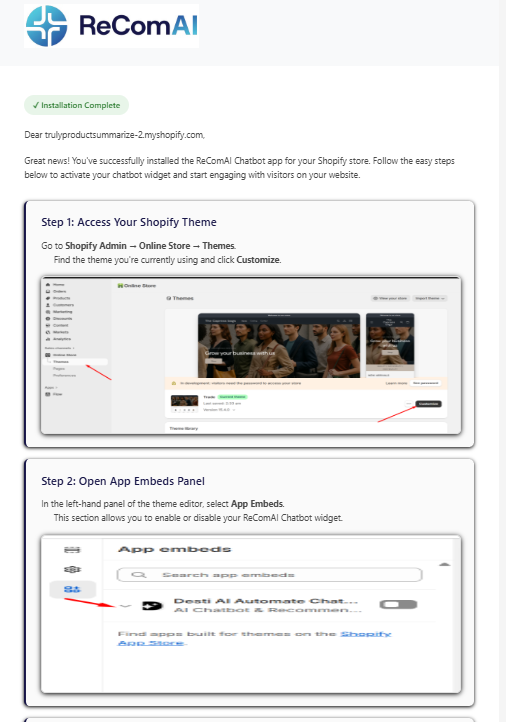
The App Installation Email is automatically sent when a Shopify merchant successfully installs the ReComAI app. This email is delivered within one minute of installation and serves as a quick guide to getting started.
It provides clear instructions on how to activate the chatbot widget, complete the basic setup, and access documentation and support resources for further assistance. The email is personalized with the merchant's name to ensure a more relevant and helpful onboarding experience.
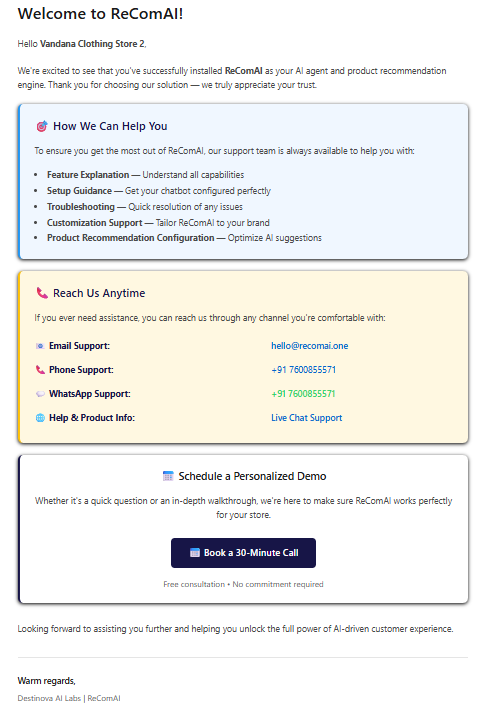
Welcome Support Email#
The Welcome Support Email is sent shortly after installation as a follow-up to the initial setup message. It is delivered exactly three minutes after the ReComAI app is installed and is always sent as a separate email from the installation confirmation.
The purpose of this email is to offer additional guidance and support to help merchants get the most out of ReComAI. It includes support contact details, links to documentation, and onboarding resources to assist with setup and customization. An optional video guide may also be included to walk users through the setup process step by step.
Weekly Analytics Report Email#
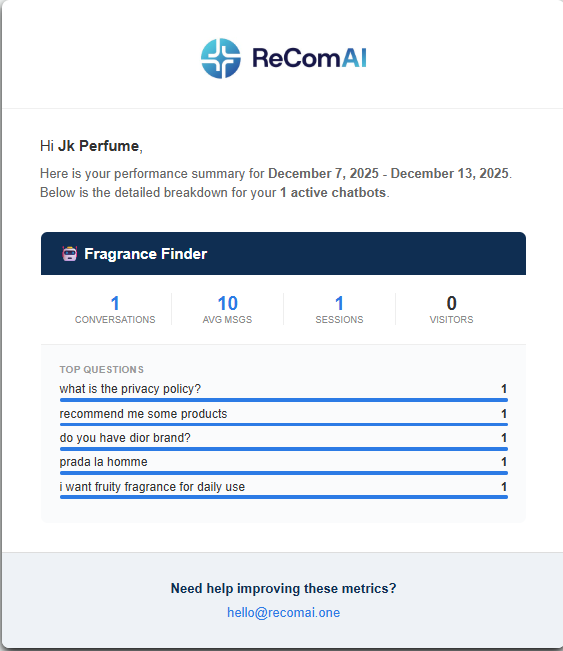
The Weekly Analytics Report Email is automatically sent every Sunday at 01:00 AM to provide insights into chatbot performance.
This email is delivered only to users who have at least one active chatbot. If a user has multiple chatbots, performance data for all of them is consolidated into a single email. If no chatbot is active, the email is not sent.
The report includes a detailed summary of weekly activity, such as the number of conversations, visitors and sessions, average messages per conversation, and the most frequently asked customer questions. These insights help users understand engagement trends and optimize their chatbot experience.
Token Usage Alert Email (80% Limit)#
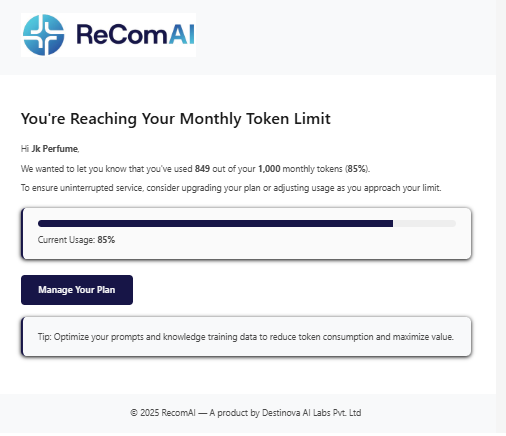
The Token Usage Alert Email is automatically sent when a user reaches 80% of their assigned token limit. This notification helps users stay informed and take action before their tokens are fully consumed.
The system checks token usage daily and sends this alert only once per billing period. It applies to both chat tokens and knowledge tokens. If an administrator has configured a custom token limit, the alert is triggered based on that defined threshold.
The email clearly displays the number of tokens used along with the total available limit, allowing users to monitor usage and plan accordingly.
Uninstall Feedback Email#
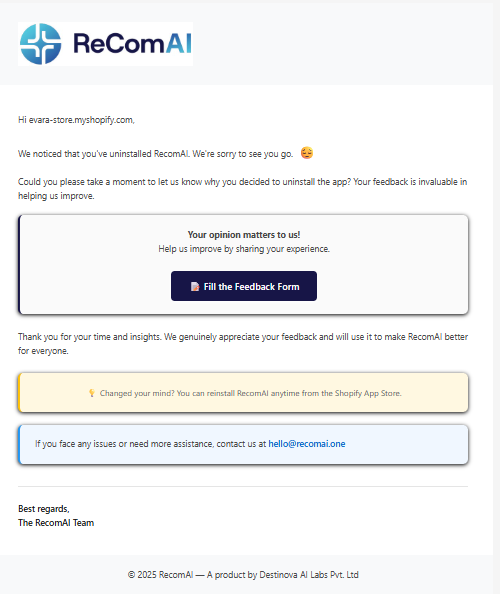
The Uninstall Feedback Email is automatically sent when a user uninstalls the ReComAI app. Its purpose is to understand the reason for uninstallation and gather valuable feedback to help improve the product.
The email contains a polite message along with a feedback or survey link, allowing users to share their experience. If the user had an active subscription at the time of uninstallation, the plan is automatically cancelled as part of the process.
Summary#
ReComAI email notifications are thoughtfully designed to support users at every stage of their journey. They guide users through onboarding, provide weekly performance insights, alert users about token usage, offer timely support, and help collect valuable feedback.
Each notification is sent automatically, at the appropriate time, and contains clear, relevant information. This ensures a smooth, transparent, and well-informed experience for every ReComAI user.