/Conversations/conversation handover (AI | Admin)
Conversations
3 min read
Apr 2, 2026
Verified Guide
Conversation Handover (AI | Admin)
Manage chats by switching between AI automation and manual admin control
Introduction#
ReComAI allows you to manage customer conversations by switching control between the AI Assistant and an Admin (human agent).
This feature helps you handle important conversations manually when needed, while still using AI for fast and automated responses.
How to Access Conversations#
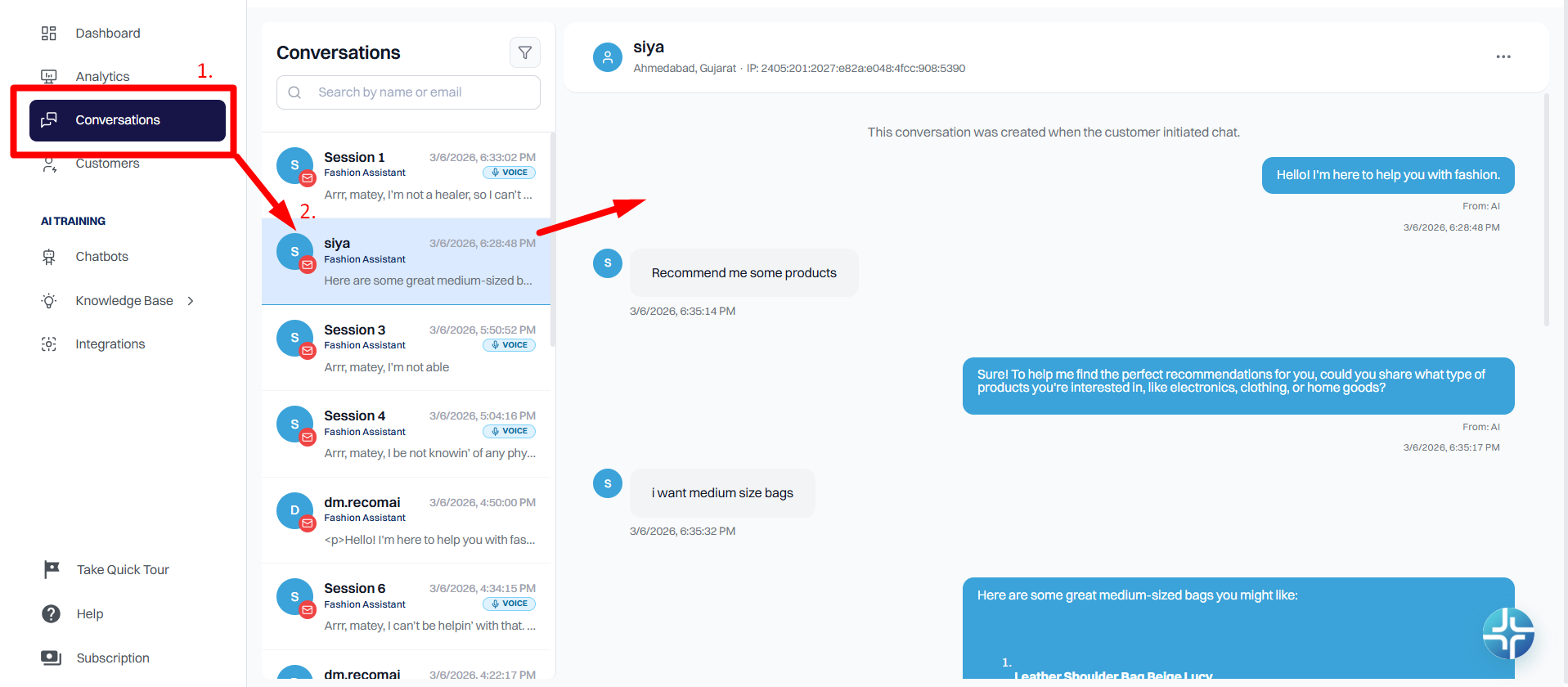
To view and manage chats:
1
Log in to your ReComAI dashboard
2
From the left menu, click on Conversations
3
You will see a list of all customer chats (sessions)
4
Select any session to open the conversation
To view and manage chats
Assign Conversation to Admin#
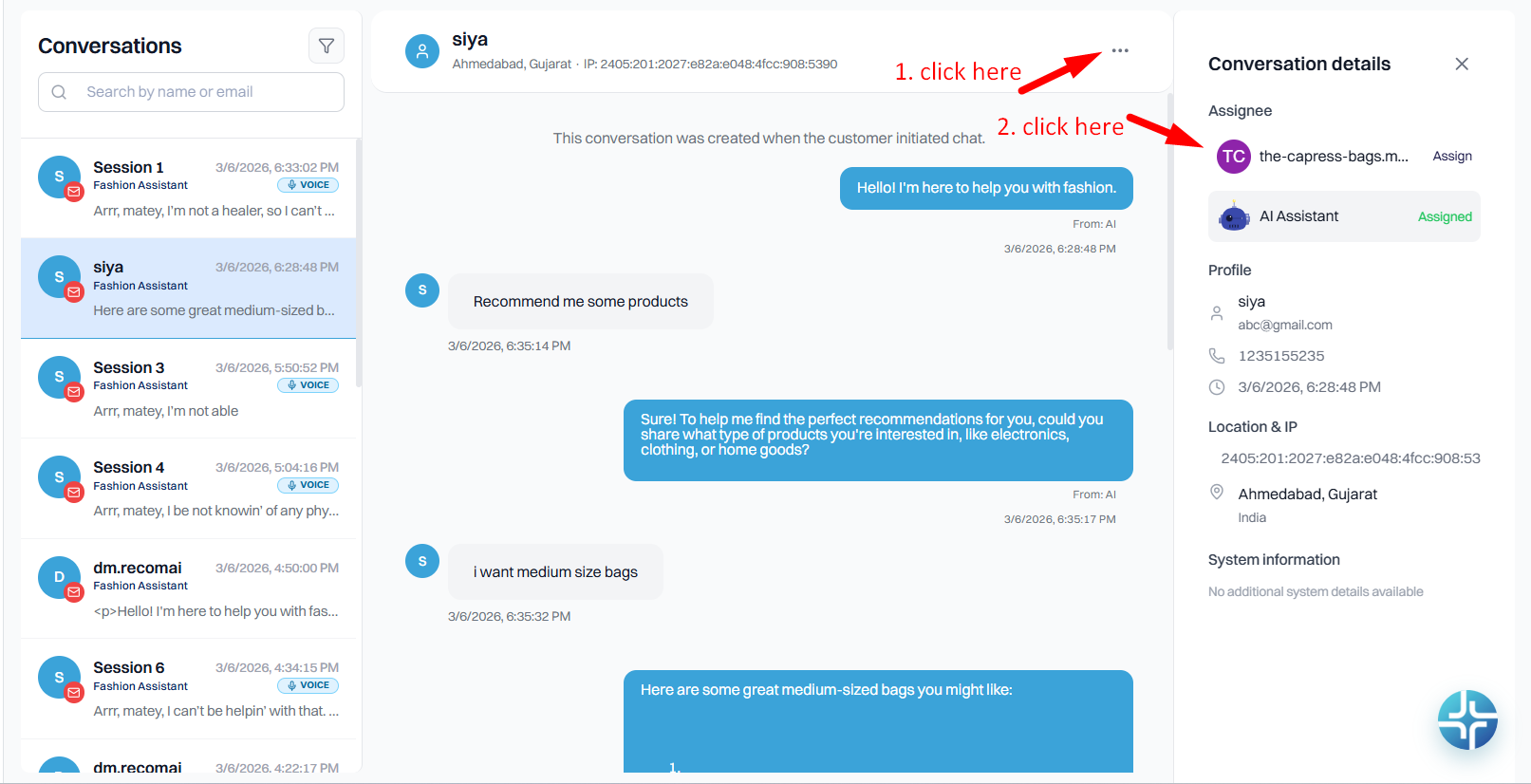
Use this option when you want to take full control of the chat.
Steps:
1
Open the desired conversation
2
Click on the three dots (⋯) in the top-right corner
3
A side panel will appear on the right
4
Click "Assign" to Admin button
Steps:
What Happens:
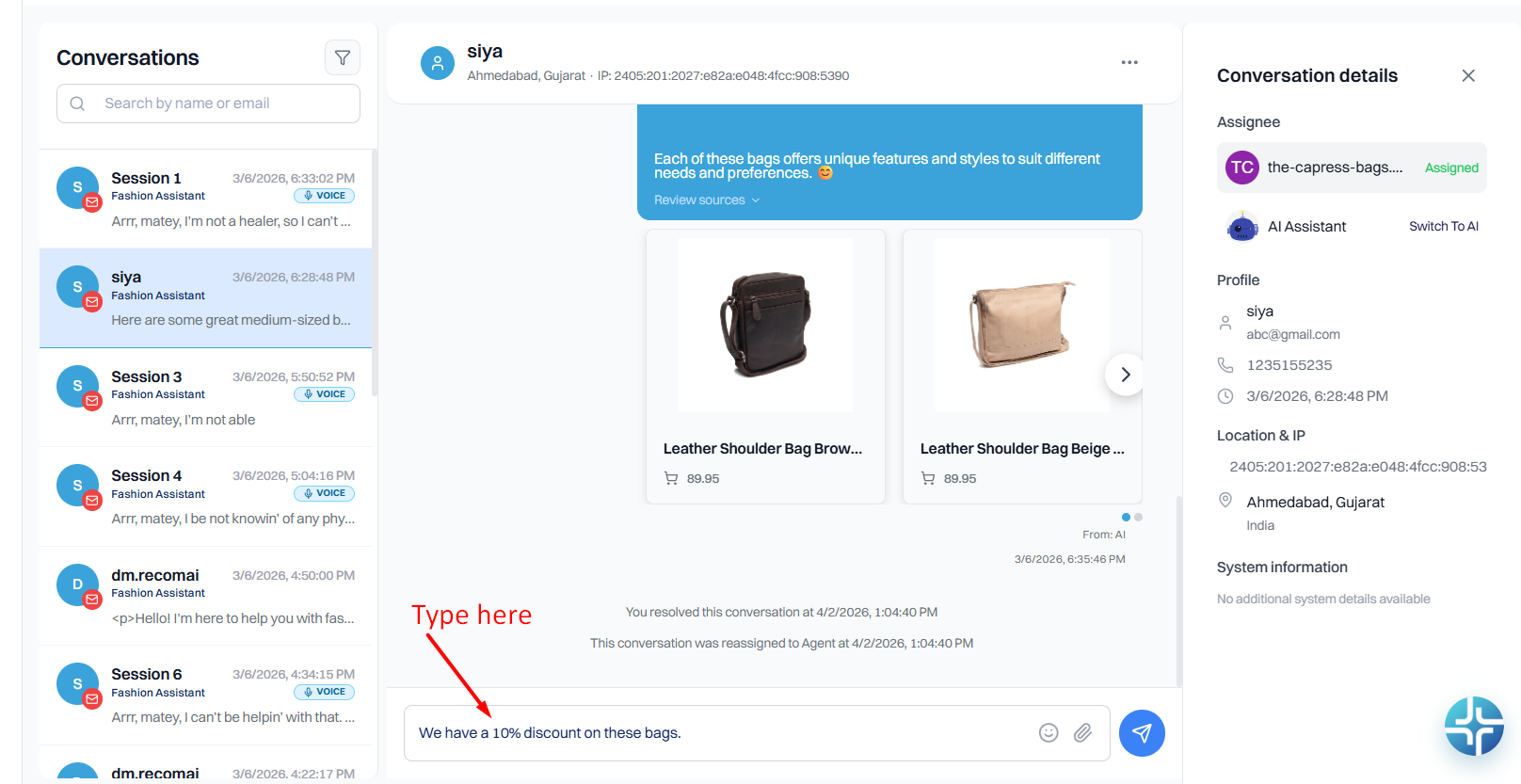
The conversation is now handled by you (Admin)
You can reply to the customer directly
What Happens:
Assign Conversation to AI#
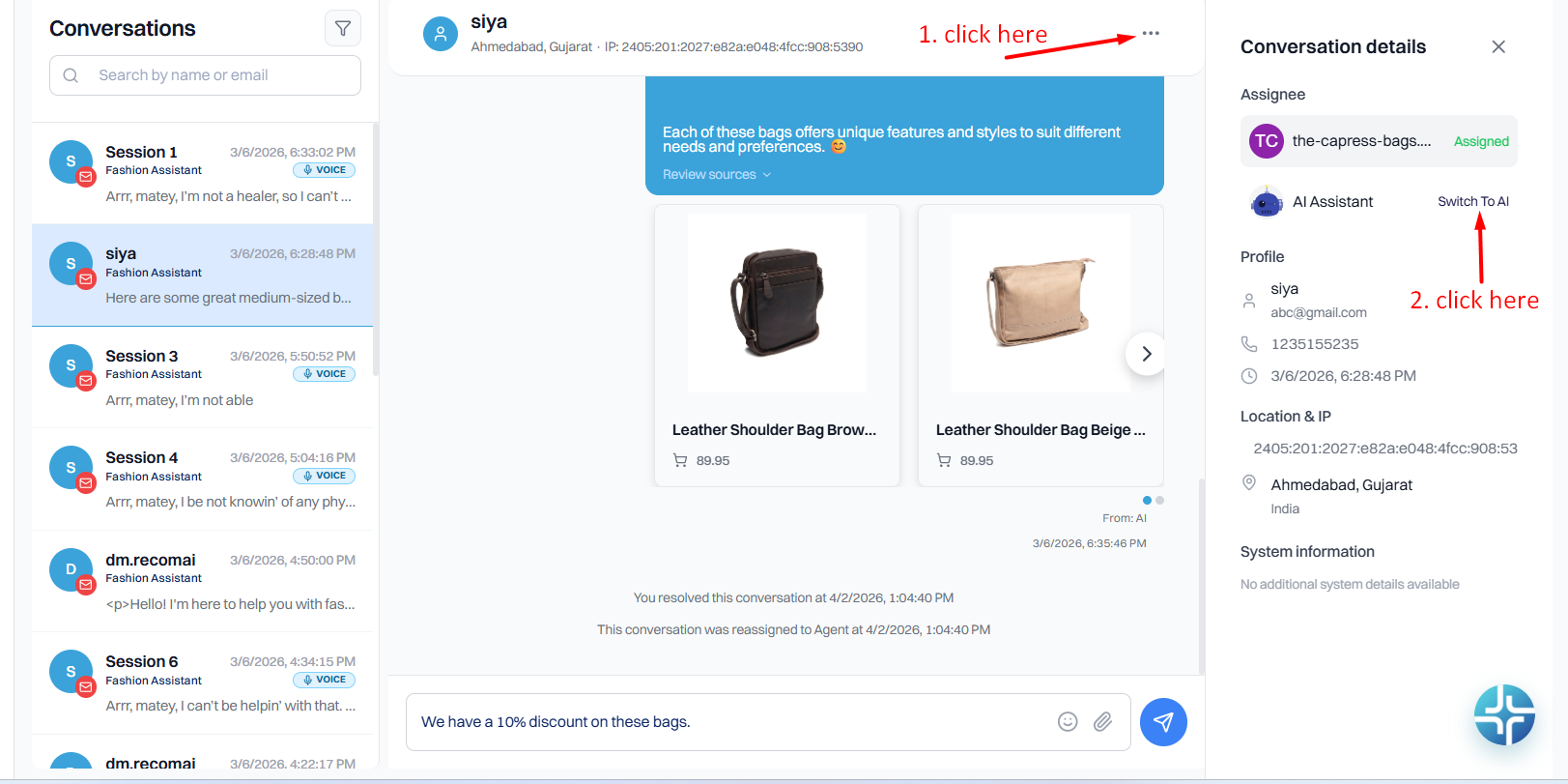
Use this option when you want the AI Assistant to continue the chat.
Steps:
1
Click on the three dots (⋯) again
2
Open the side panel
3
Click Assign to AI
steps
What Happens:
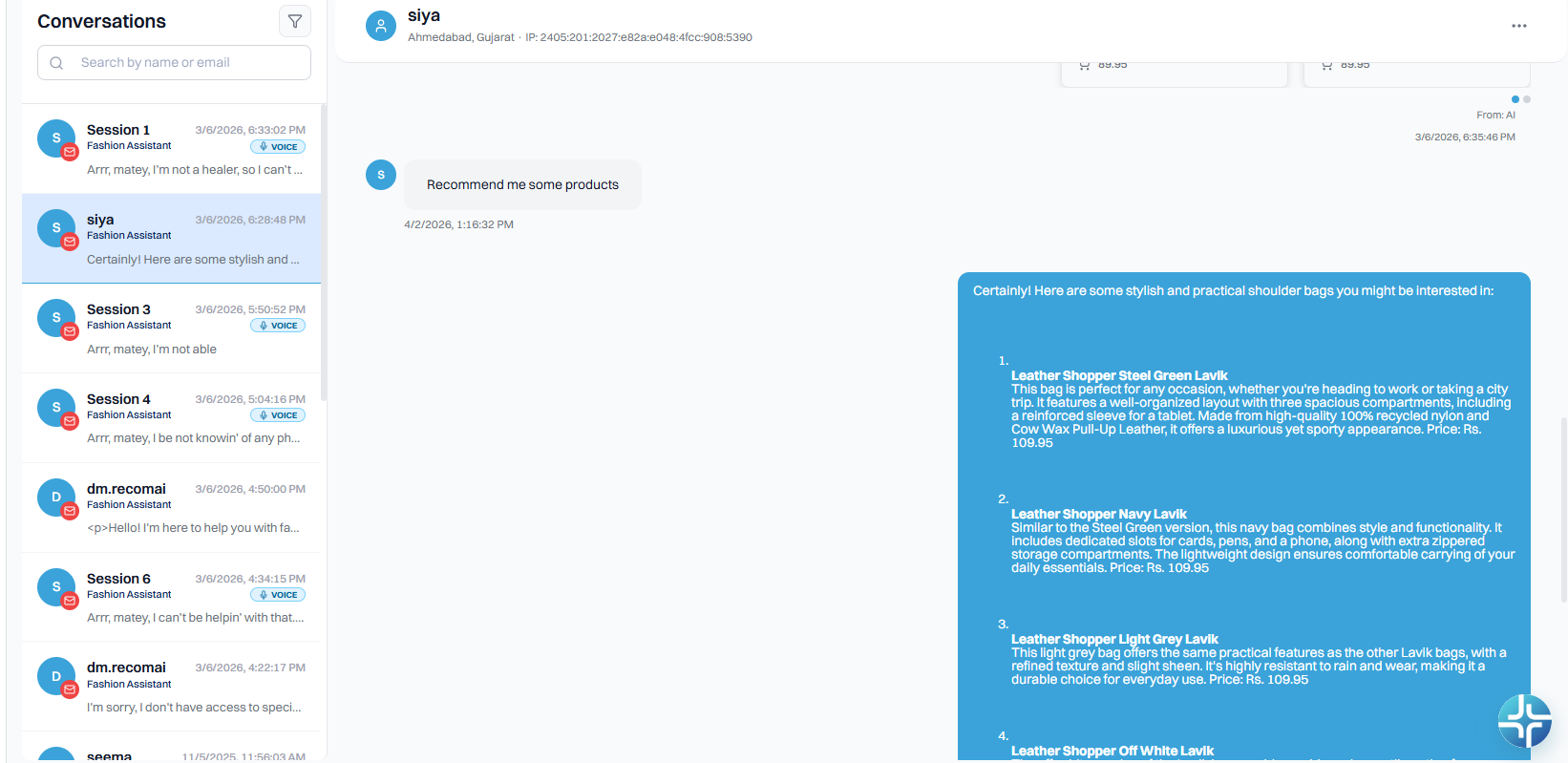
AI Assistant takes over the conversation
Replies are sent automatically
What happens
When to Use Each Option#
Assign to Admin when:
The query is complex or needs human understanding
The customer has a complaint or issue
You need to give a personalized response
Assign to AI when:
The query is simple or repetitive
Product recommendations are required
You want faster response handling
Best Practice
For better customer experience, it is recommended to:
Monitor new conversations regularly
Take over chats when AI is not sufficient
Switch back to AI for routine queries
Use both options as needed for smooth conversation flow
Summary#
You can easily switch any conversation between AI and Admin in RecomAI.
Assign to Admin allows you to take full control and reply to the user manually.
Assign to AI lets the AI Assistant continue the conversation automatically.
This feature helps you maintain the right balance between automation and human support, ensuring a better experience for your customers.