Automatic Policy Sync & Training for Your Chatbot
Keep your chatbot updated with store policies automatically and instantly
ReComAI automatically collects and trains your chatbot using your store's policy and contact information. This ensures your chatbot is ready to answer customer questions immediately after installation - without any manual setup.
This ensures your chatbot is ready to answer customer questions immediately after installation, without any manual setup.
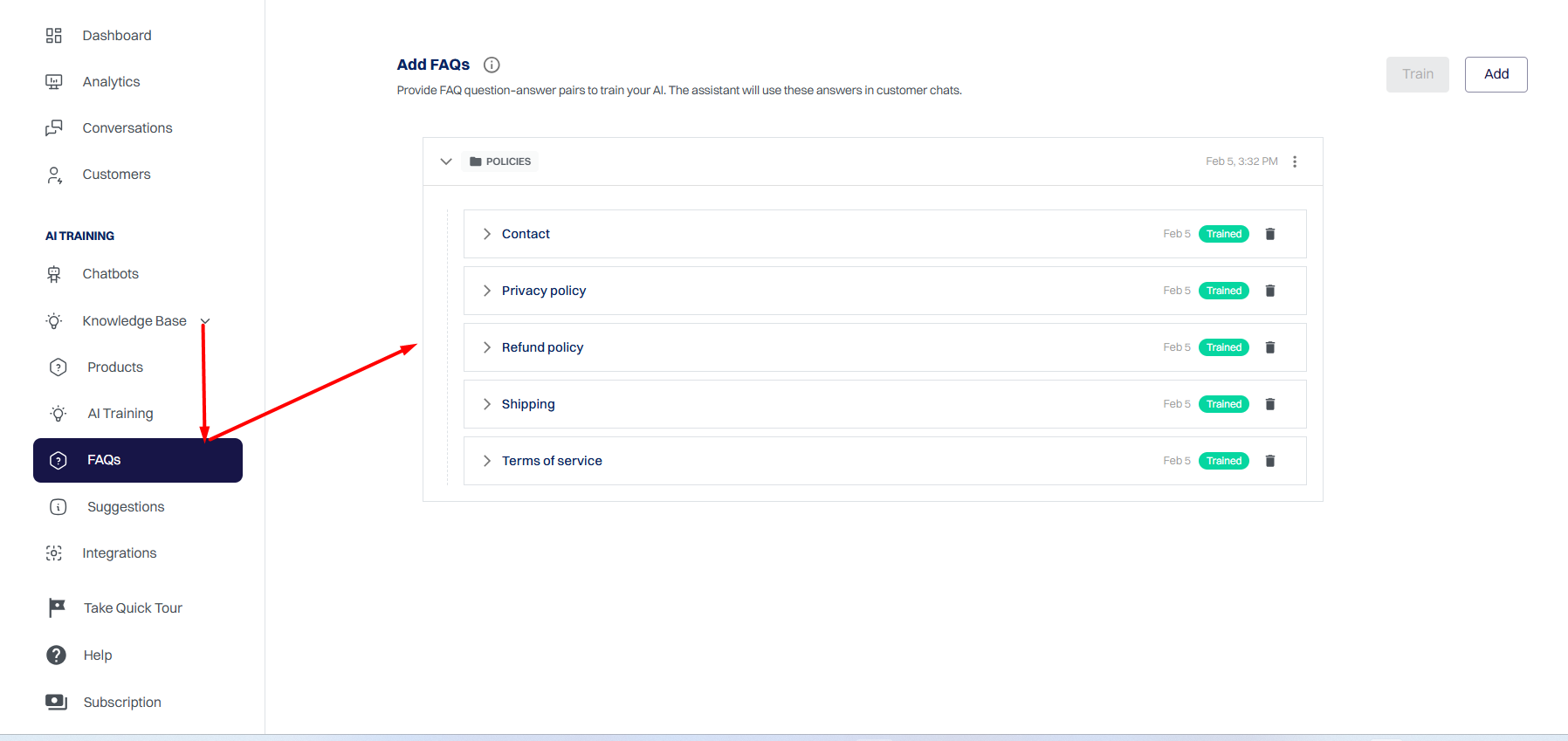
Policies are fetched directly from your store URLs and added to the chatbot's knowledge base.
What Information Is Synced Automatically?#
ReComAI syncs the following store pages:
This data is stored under Knowledge Base → FAQs → Policies and used to train the chatbot.
How Policy Sync Works#
ReComAI supports two automatic workflows, depending on when your policies are available.
Scenario 1: Policies Already Exist Before Installing the Chatbot#
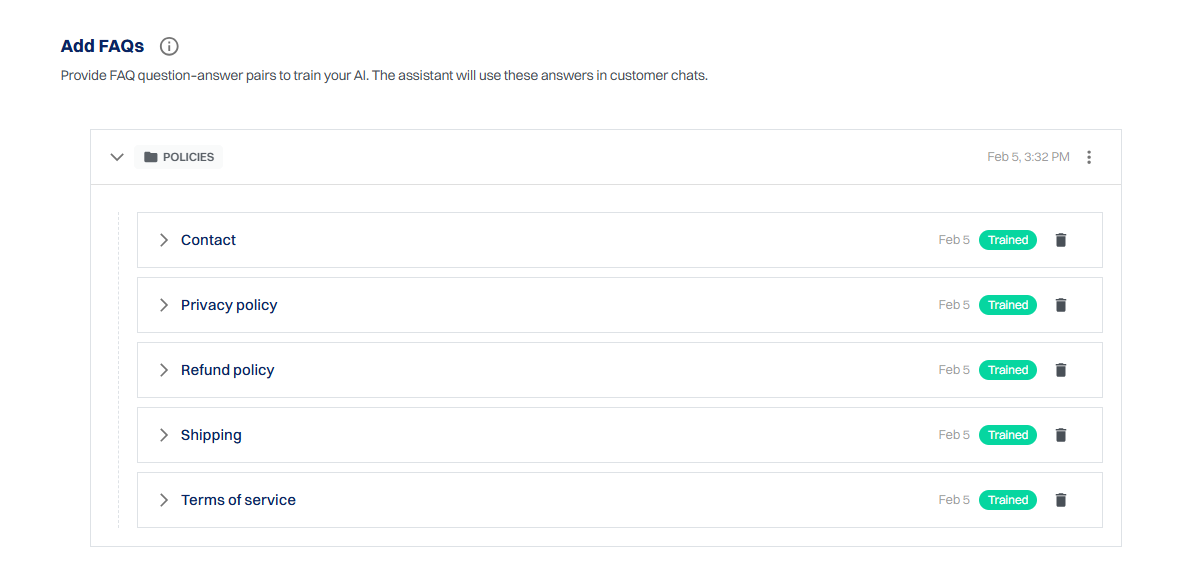
If your store already has policy and contact pages when you install ReComAI:
👉 No manual action is required
Your chatbot is ready to answer policy-related questions immediately.
Scenario 2: Policies Added or Updated After Installation
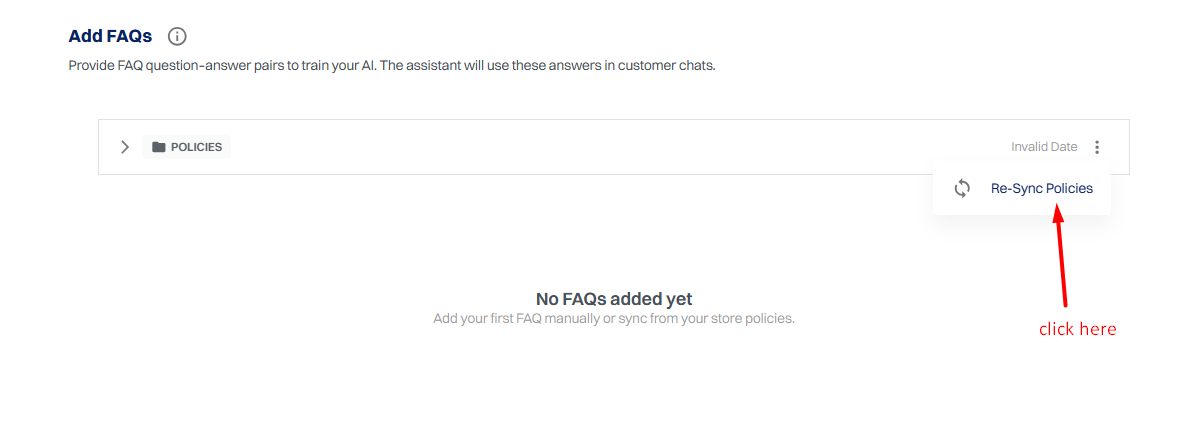
If you add or update store policies after the chatbot is already installed, you can easily sync them again.
How to Re-Sync Policies#
What Happens Next?#
Where to View Synced Policies#
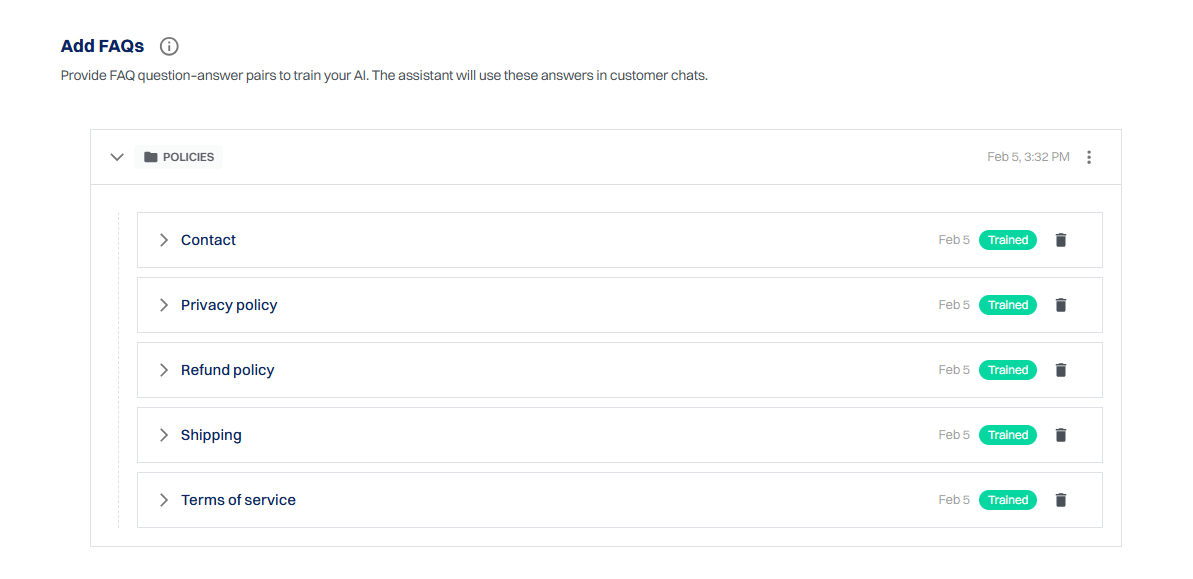
You can view all synced policies in:
Knowledge Base → FAQs → Policies#
Each policy shows:
How This Improves Your Chatbot#
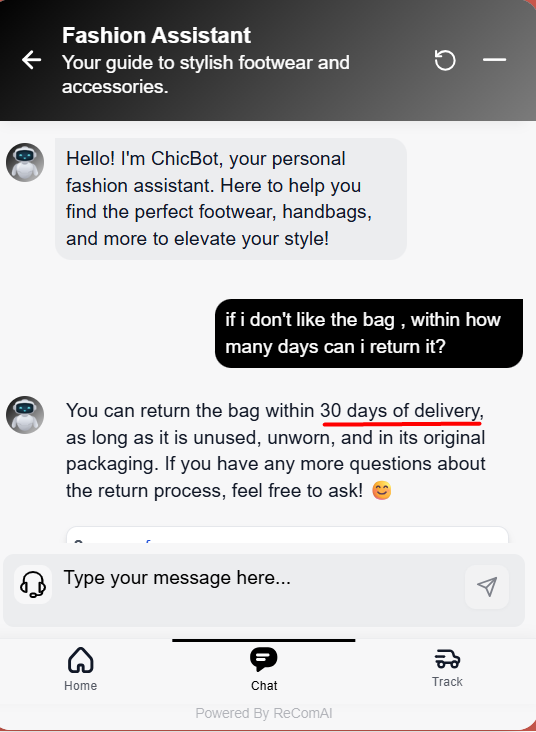
Once policies are synced and trained, your chatbot can accurately answer questions such as:
This reduces manual support work and improves customer trust.