AI Face Scan Analysis - Real-Time Skin Detection & Product Recommendation Tool
A smart AI-powered face scanning solution for skincare, cosmetic, and dermatology websites to analyze skin concerns and suggest the right products instantly.
AI Face Scan Analysis is a real-time skin analysis feature designed for dermatology, skincare, and cosmetic brands.
Using advanced AI technology, it scans a user's facial image, detects visible skin problems, highlights affected areas, and recommends suitable products as solutions. This tool works like a virtual skin consultant, helping brands build trust, increase conversions, and deliver personalized skincare experiences directly on their website.
What Is AI Face Scan Analysis?#
AI Face Scan Analysis is a real-time tool that allows users to upload their facial image.
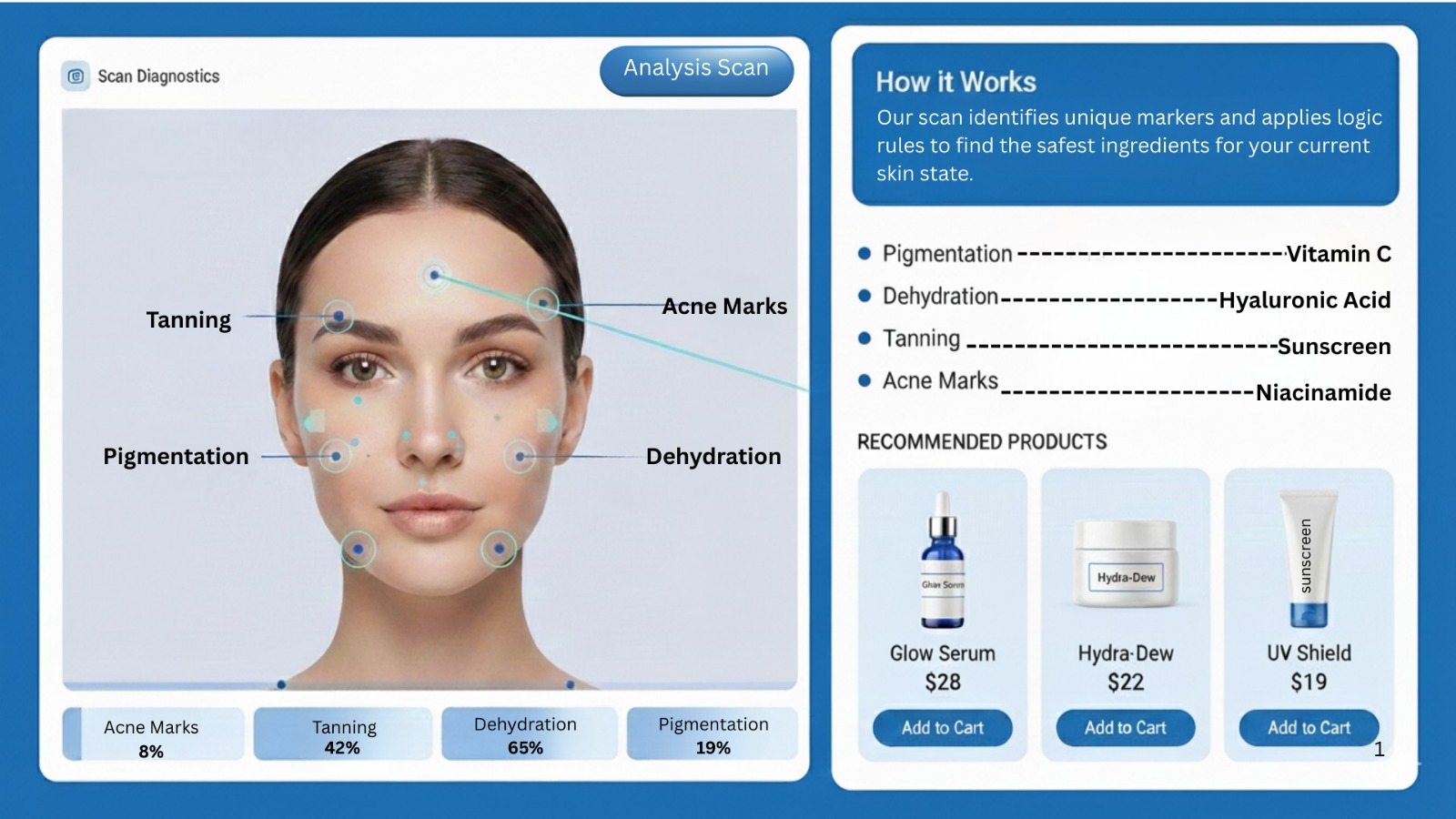
Using advanced AI technology, the system scans the face, identifies visible skin concerns, and highlights affected areas with clear insights.
The goal is simple: identify the problem, explain it clearly, and suggest the right solution.
How the AI Face Scan Works#
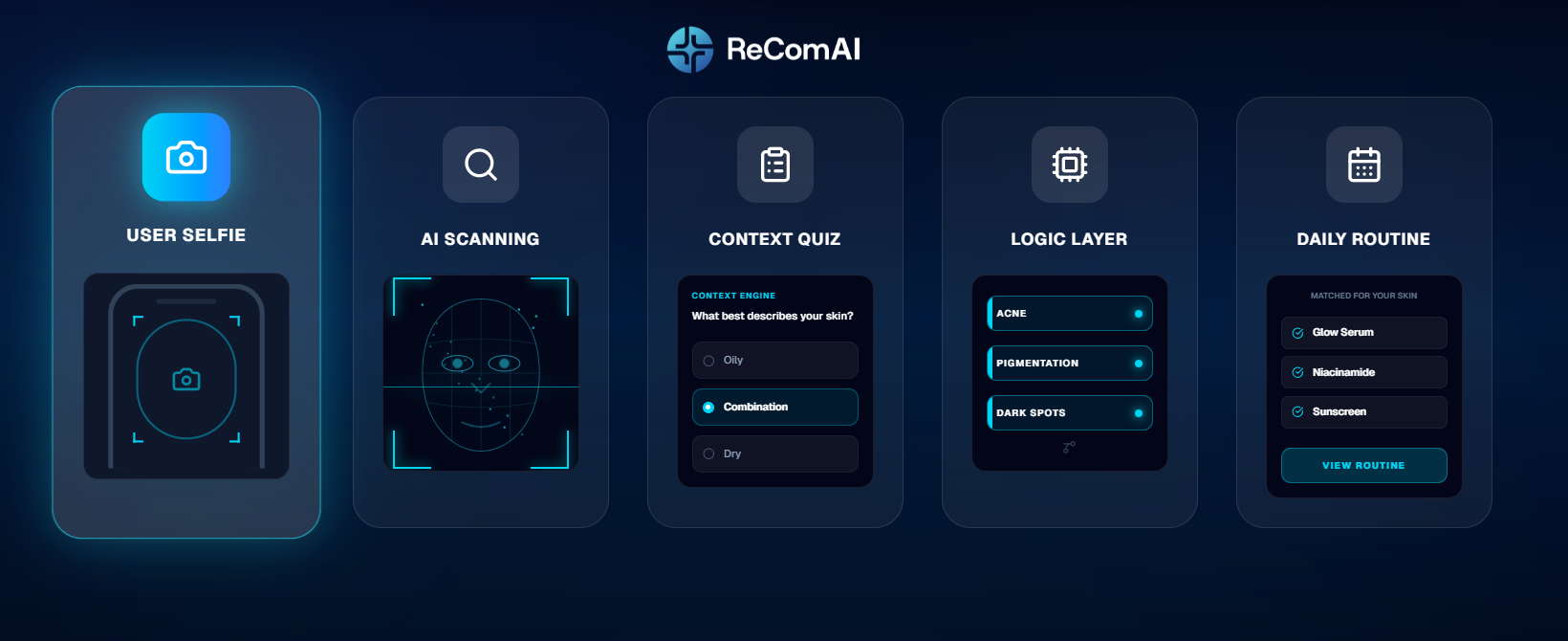
The user uploads a real-time facial image directly on the website using their camera or device.
The AI scans the uploaded image through our API and detects visible skin concerns such as:
After scanning, the user answers a short quiz related to their skin type and concerns (oily, dry, combination, etc.).
This helps the AI understand context, habits, and skin needs more accurately.
Detected skin issues are visually marked on the face.
The system highlights:
Based on the AI scan results and quiz inputs, the system recommends suitable products or bundles - similar to a real-time consultation from a doctor or skincare expert.
Real-Time Skin Consultation Experience#
This tool works like a virtual skin consultant or dermatologist.
Instead of generic product listings, customers receive personalized guidance based on their actual skin condition.
It helps users understand:
Benefits for Your Brand#
Build Customer Trust
Real-time skin analysis increases confidence in product recommendations and builds trust in your brand.
Increase Sales & Repeat Purchases
AI-based product bundles are suggested based on actual skin conditions, leading to higher conversions and repeat purchases.
Improve Brand Reputation
Personalized solutions result in better outcomes, happier customers, and stronger brand credibility.
Easy API Integration
The AI Face Scan Analysis tool is provided via API and is fully implemented on your website by our team.
Why Use AI Face Scan Analysis?#
Get Started#
You can explore and offer the AI Face Scan Analysis feature on your website as part of your service or pricing plans.
🔗 Explore the feature here: https://www.recomai.one/ai-face-scan